What's the most frustrating thing about running AI Agents in the terminal?
It's single-threaded.
You ask it to run a long task — writing a Weibo post, running a subagent research batch — and the foreground locks up. The cursor stops blinking. The input box grays out. You just stare at the progress bar, waiting.
This has been an unspoken pain point for months of using auto-coder.chat. Until the night of May 6, 2026, when I merged the /bg command family into the auto-coder.chat.lite terminal (commit 073ef0b8 "Added multi-session background management for V3 terminal").
From that night onward, multiple AI sessions can run simultaneously in a single terminal window. Long tasks sink to the background, and the foreground is immediately free for new input.
The Pain Point: Long Tasks Block the Foreground
Let's look at a screenshot:
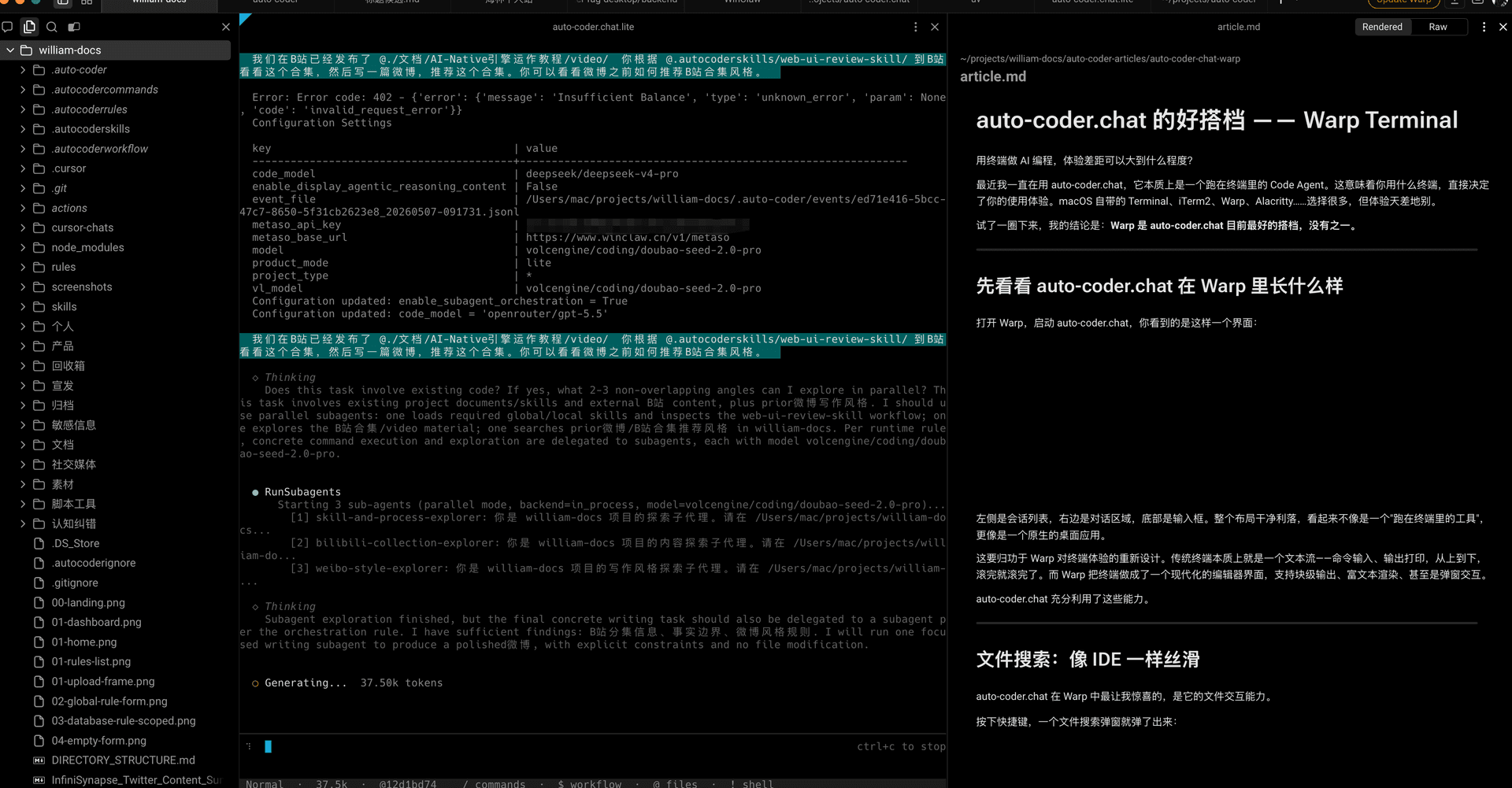
On the left is the file tree of the william-docs project. In the middle, RunSubagents is running — three subagents researching in parallel, preparing a Weibo post for an article. This task takes at least 5-10 minutes from start to results.
What can I do during these 5-10 minutes?
Nothing but wait.
I can't ask another question in the same session, can't look up a Bilibili EP link in the same terminal, and definitely can't start a second research task in parallel. The entire terminal is "occupied" by one long task.
This experience should feel familiar — when running a foreground program in Linux shell, you either Ctrl+Z it to the background then bg, or open a tmux window to detach and reattach.
Terminal AI sessions need an equivalent. That's what /bg is.
What /bg Does — One-Click Background for Current Session
What /bg does is simple: send the active session to the background, then give you a clean new foreground.
For example, I've already started that long Weibo writing task and want to do something else first. I just type /bg:
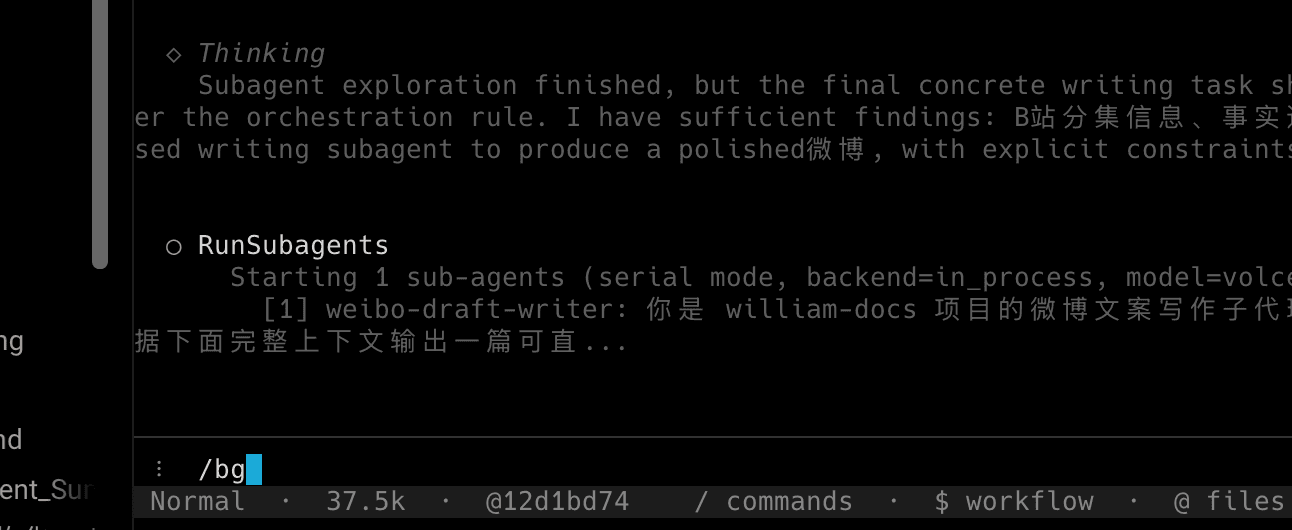
The moment I press Enter, two lines appear at the top:
New foreground session [6b63bf5c]— a brand new session is ready for inputBackground: [#1] 12d1bd74 (state: running)— the old task is numbered #1, state running, still going
The new foreground is as clean as a freshly launched terminal:
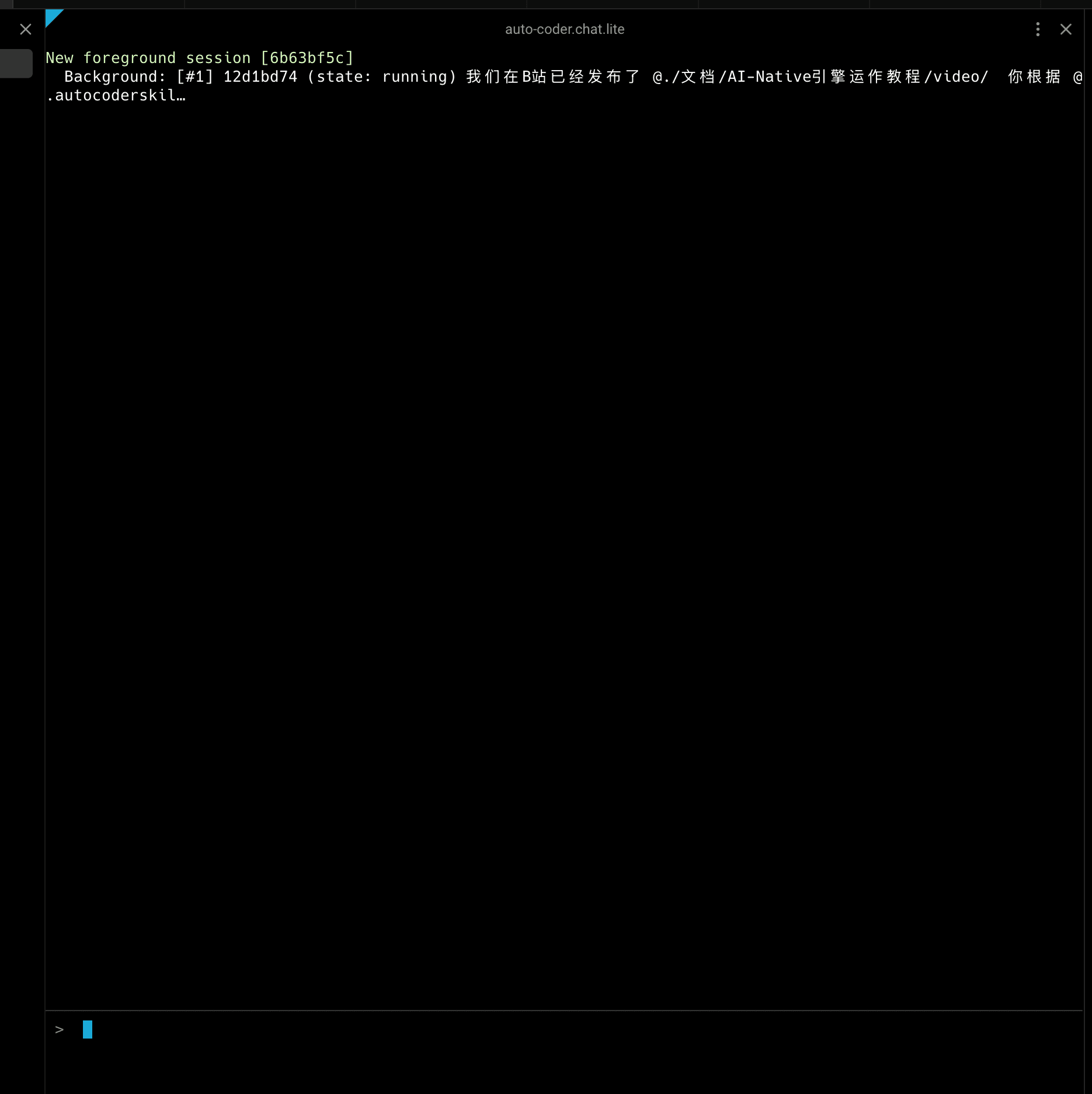
Now I can do anything — look up an EP link, start another RunSubagents task, even hit /bg again to send this one to the background too. What about the original long task? It keeps running in slot #1, fire-and-forget, no foreground blocking.
Each session has independent conversation_id and independent dialogue buffers, no cross-talk between them. This is important: you'll never find "that Weibo-writing session got polluted by my current queries."
/bg /list — See What's Actually Running in Your Background
With multiple background sessions, you need to know what's in each slot. That's what /bg /list does:
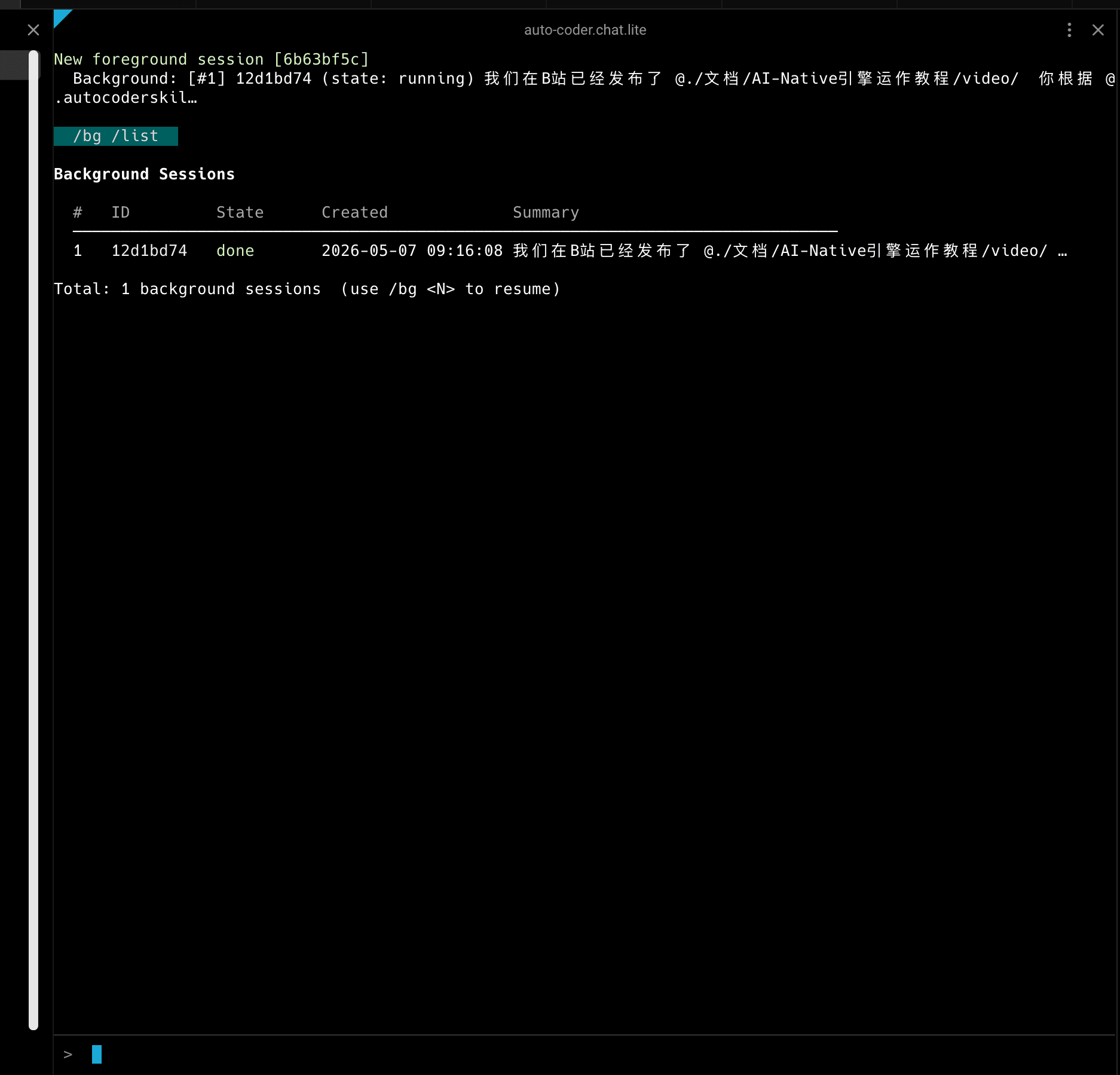
A five-column table:
- # — slot number, starting from 1
- ID — session short ID
- State — current status
- Created — creation time
- Summary — preview of user input at the time (quickly recall "what did I put in this slot?")
There are 5 states, color-coded:
- running (yellow) — still going
- done (green) — finished
- idle (gray) — idle
- cancelled (gray) — cancelled
- error (red) — errored
Maximum 16 background sessions (MAX_BACKGROUND_SESSIONS = 16). I thought about this number repeatedly — too few and you run out, too many and you bury yourself. 16 is a median: "enough for a morning's work" but "not so much you lose control." The system refuses to open more beyond 16.
/bg <N> — Bring Tasks Back to Foreground
When background tasks finish, how do you see the output? /bg <N> pulls session #N back to the foreground.
Note that it's not just "switching over" — it's bidirectional exchange: the old foreground sinks to the background taking a new slot, and the old background comes to the foreground.
For example, if I type /bg 1:
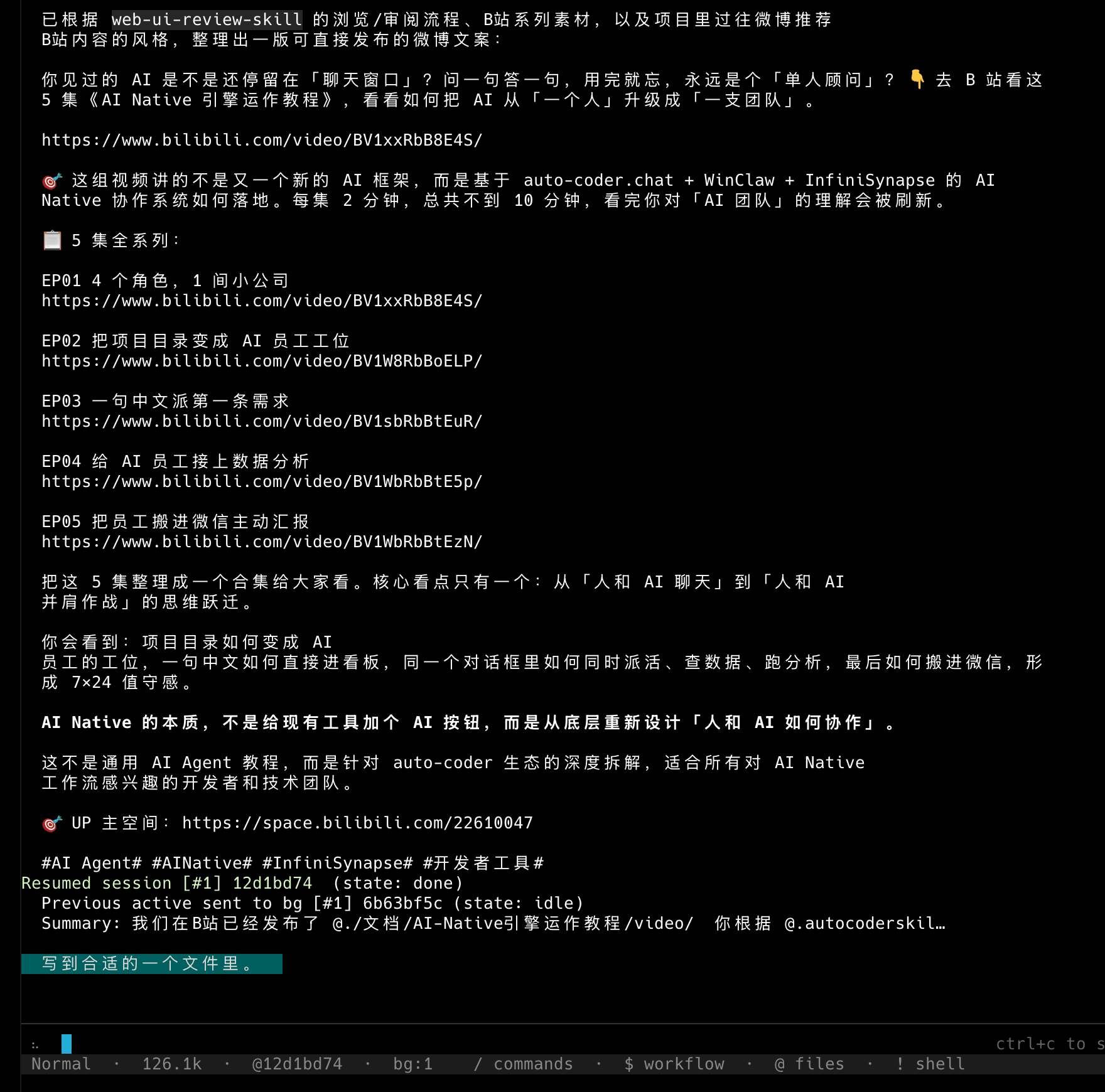
Three lines of report immediately appear below:
Resumed session [#1] 12d1bd74 (state: done)— slot #1 resumed, already donePrevious active sent to bg [#1] 6b63bf5c (state: idle)— the empty foreground was sent to background slot #1Summary: ...— input summary of the resumed session
Then, the complete dialogue history of the resumed session all comes back:
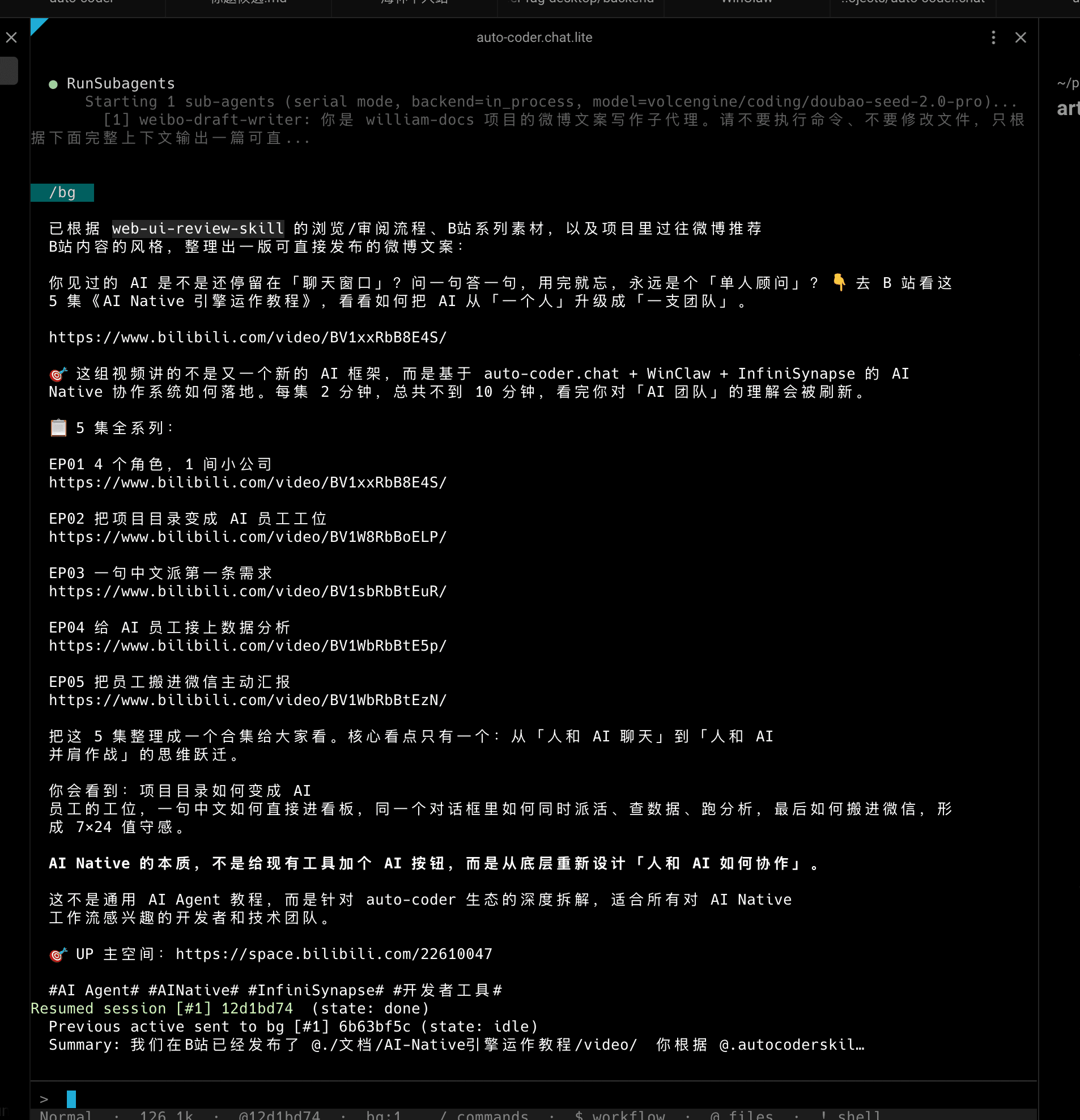
Including the intermediate logs from RunSubagents' three subagents, and the final written Weibo post — word for word. Background session output accumulates continuously — it doesn't get lost when you switch away. This means you can switch away anytime, switch back anytime, and every switch feels like you never left.
/bg /drop <N> — Drop What You Don't Need
Not every background session is still needed. Trial-and-error ones, off-track ones, finished ones you've already seen results for — they should be cleared.
/bg /drop <N> does this.
If slot N is still running, it first sends a cancel signal to end it, then releases the slot. Once the slot number is freed, it will be reused for the next new session.
Simple and crude, but that's exactly what you need.
Real-World Workflow: Writing a Weibo Post
Commands alone are abstract. Let me demonstrate a workflow I personally ran on the night of May 6, 2026.
That day I needed a Weibo post for a product article. Here's how it went:
- Start a RunSubagents task in auto-coder.chat foreground, running three subagents in parallel: skills & process, Bilibili collection style, Weibo writing style
- Research takes 3-5 minutes. I type
/bg, send it to background - Clean new foreground appears, I start looking up Bilibili EP links, ask a few questions
- After about 5 minutes, type
/bg /listand see slot #1 state change from running to done - Type
/bg 1to resume, see the complete Weibo post output - Save the post to the appropriate directory in the william-docs project
The final scene looks like this:
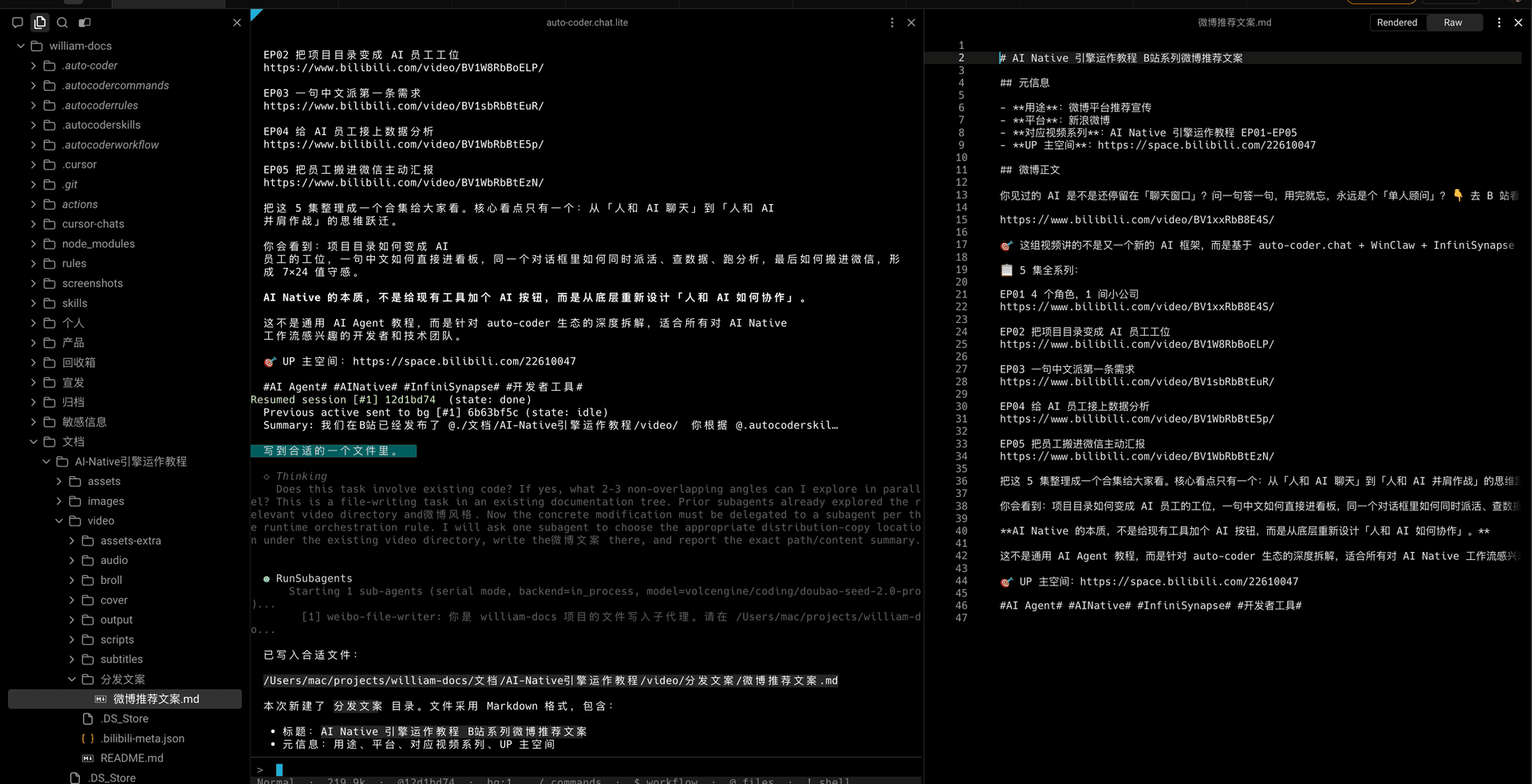
On the left, the file tree gained a "Weibo recommendation post.md" — that's the product from background slot #1. In the middle is the resumed dialogue context. On the right is the article.md preview. I never left this terminal window during the entire process, didn't open a second tab, didn't start tmux.
That's the experience /bg wants to give you.
Why /bg and Warp Are a Perfect Match (and Warp is Now Open Source)
/bg essentially turns the terminal from single-threaded into a multi-task scheduler. Modern terminals like Warp amplify this capability. It's now open source and fits our TUI workflow extremely well.
Look at this scenario: I'm running a session in the middle window, and can locate target documents with the file picker anytime without leaving the terminal:
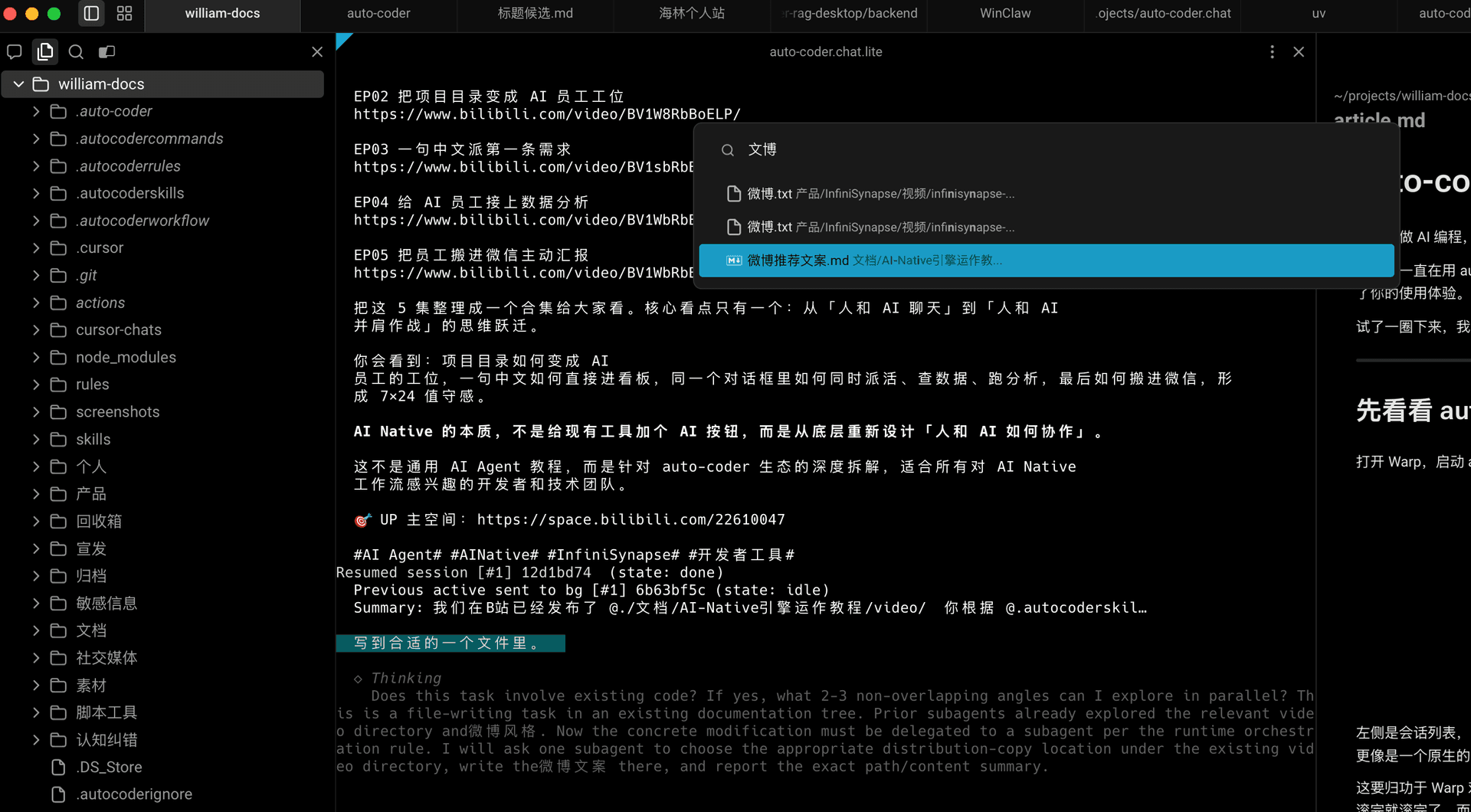
And the full perspective: left is directory tree, middle is auto-coder.chat session, right is Markdown/code preview. The whole process supports mouse click switching and browsing, almost like a "lightweight IDE in terminal" experience:
This is the match we're talking about: /bg handles task parallelization, Warp handles visualizing, clicking, and managing those parallel tasks. Stacked together, you can browse directories, read Markdown, view code, and monitor task status — all in one window.
This Isn't Just a Small Change — It's a New Work Posture
The night /bg launched, I polished two more commits:
4c81447d: Changed internal thread poolmax_workersfrom 1 toMAX_BACKGROUND_SESSIONS + 4 = 20. Originally with only 1 worker, multiple background tasks would queue — the second task would wait for the first to finish, turning "background" back into "foreground." With 20 execution channels, 16 sessions each have their own running slot, no blocking.bc9b8c4f: Fixed a small issue where state could be inconsistent when switching failed. Polishing continues after launch, which is normal.
These two together make /bg actually usable.
What's the significance?
Terminal AI is no longer single-threaded.
You can run a long task in one session, make short queries in another, have a subagent batch running in a third, and write code in a fourth. They don't block each other, dialogue contexts don't cross-talk, and states are independent.
If you used to work at "start one, wait for one" pace, now the pace becomes start, background, start next, background, list to check progress, resume the finished ones. A developer managing 4-5 AI tasks simultaneously in one terminal window is achievable.
It's starting to feel like an "AI workstation."
How to Use / Upgrade Methods
/bg has been merged into the auto-coder.chat.lite terminal mainline. Three steps to use:
# 1. Upgrade auto-coder
pip install -U auto-coder

# 2. Enter project, start auto-coder.chat.lite terminal
cd your-project
auto-coder.chat.lite

# 3. Simply type /bg /help in terminal for full help
/bg /help lists all subcommands — /bg, /bg <N>, /bg /list, /bg /drop <N>, /bg /help. Fits on one page, 5 minutes to get started.
🎁 Bonus: Other Convenient Features Launched Concurrently
Alongside /bg, several small but exceptionally convenient commands launched. Each solves a specific small pain point, and together they make the experience more complete.
/sessions — Lay All Conversations Out to See
/sessions doesn't just show background tasks — it shows all persisted dialogue sessions. By default, typing /sessions is equivalent to /sessions /list, giving you a clear listing:
/sessions
/sessions /current
/sessions /resume #2
/sessions /rename "API refactor line"
#2 refers to the sequence number in the list. You can also switch by session ID or name. Whereas /bg manages "currently running slots," /sessions manages "every conversation you've ever had." They operate at different levels but work exceptionally well together — tasks run in background, and the foreground can pull up any previous conversation anytime to continue.
/fork — Branch Off From Current Context
Halfway through writing an article, halfway through a plan, suddenly want to try another path but don't want to pollute the current context? Use /fork:
/fork
/fork /name "Alternative approach"
It makes a complete copy of the current session as a new session, then automatically switches over. The original session remains untouched. Trial-and-error cost drops instantly to zero.
/new — Cleanly Start Over
Want to start a completely different task? No need to exit and re-enter the terminal, just type:
/new
It clears the current context and gives you a clean new session. /clear achieves the same effect — it's an alias.
/conf enable_subagent_orchestration:true: Auto-subagent orchestration mode
One more switch for power users:
/conf enable_subagent_orchestration:true
When enabled, Auto-Coder automatically enters subagent orchestration mode. You don't need to manually write complex decomposition flows — just state requirements normally, and the main agent will try to split tasks into multiple independently executable subtasks, assign to subagents for parallel exploration, modification, and verification, then the main agent wraps it up at the end.
I recommend configuring models together like this:
/conf code_model:openrouter/gpt-5.5
/conf model:volcengine/coding/doubao-seed-2.0-pro
The former works well as the main agent's global orchestration model, the latter as the subagent execution model. With this switch on, you'll more naturally experience "one person stating requirements, a group of agents working separately."
/models /fork: Same model with multiple names and KEYs
One more practical small feature for power users:
/models /fork <configured model> <new model name>
It solves a very real problem: for the same underlying model, you might want different KEYs, or different aliases, for separate use in different scenarios. For example, same volcengine/coding/doubao-seed-2.0-pro, you can fork one specifically for coding, fork another specifically for chat or document generation.
The benefit is that the underlying model is still the same, but you can configure them as differently named instances. Each instance can have its own KEY, and continue adjusting their respective parameter configurations. Very convenient for team collaboration, quota isolation, and usage diversification.
One sentence to sum it all up: /bg enables task parallelism, /sessions makes conversations retrievable, /fork lets ideas branch out, /new lets you start fresh anytime, /models /fork allows multiple KEY configurations for the same model, and enable_subagent_orchestration automatically breaks complex tasks into subagents.
Final Thoughts
Managing multiple AI sessions in a terminal shouldn't be harder than managing multiple browser tabs.
We want every auto-coder.chat user to manage their multiple AI tasks like managing multiple employees — long tasks handed to background, short tasks handled yourself, hit /bg /list when you need to check progress. One terminal window, a team of "AI colleagues," each with their role.
Let AI truly run in parallel in the terminal.
auto-coder.chat: auto-coder.chat