
The Auto-Coder development platform I built connects requests from a phone and other Agents with actual work on a computer. I built the server and developed the desktop software: the Android client, AndroidMiao, sends a request to the server; the desktop connects to the server, pulls the task, and calls Codex CLI to execute it. The execution progress and results travel back through the server to the client, which renders them in real time.
The Android client is not the only entry point: other Agents can use the same workflow. Grok Bot is another entry point, communicating with the server through AC Chat commands. The end that starts the request, the server connecting the two ends, and the computer doing the work each have their own responsibilities.
How a request reaches the computer
Consider an illustrative request: “Check a problem in a project, make the changes, and tell me the result.” This is an example task; the screenshots below do not document its execution.
After the user makes a request in AndroidMiao, the client sends it to the server. The desktop software connects to the server and actively pulls tasks that need to run. The request reaches the server first, and the computer then retrieves the task.
Once the task reaches the computer, the desktop calls Codex CLI. Codex CLI does the specific work on the computer, and the desktop sends its progress and final results back to the server. As the client receives these updates, it continues rendering the interface so the user can see progress and results on the phone.
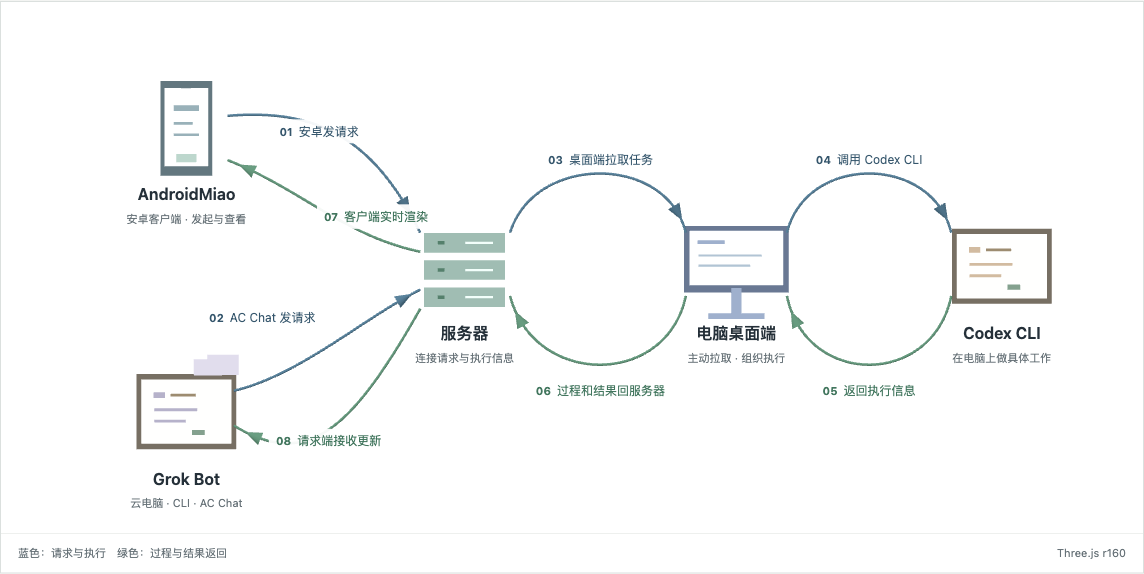
Architecture illustration. Five nodes represent five roles; eight arrows show the two entry points and their shared execution chain. Grok Bot’s cloud computer connects to the server through AC Chat commands. The task flows from the server to the desktop, while the desktop initiates the pull.
Open the interactive Three.js architecture diagram. You can step through the two entry points and the eight relationships, or return to the complete chain. This illustrative animation explains the architecture and is not connected to a live task.
Grok Bot can also start requests
Grok Bot has a cloud computer with a CLI installed that connects to our server. Grok Bot uses AC Chat commands to communicate with the server, sending requests into the same workflow. The Android client lets a person access the platform from a phone, while Grok Bot is an entry point for another Agent to start requests.
The entry point changes, while the execution responsibilities remain the same: the desktop connects to the server, pulls tasks, and calls Codex CLI to do real work. The desktop sends progress and results back to the server, and the client renders the updates it receives in real time. Grok Bot starts the request; it does not replace Codex CLI in the desktop.
What the server and desktop each do
The server receives requests from entry points such as AndroidMiao and Grok Bot, as well as execution information returned by the desktop. It connects the end that starts the task with the end that does the work, allowing the client to receive subsequent updates.
The desktop brings tasks from the server to the computer for execution. It connects to the server, pulls tasks, calls Codex CLI, and sends progress and results back. Looking at the desktop software and Codex CLI separately makes their responsibilities clearer: the former connects the task chain, while the latter performs the specific work on the computer.
This arrangement has a direct prerequisite: the computer doing the work must be available, the desktop must be able to connect to the server, and Codex CLI must have the working conditions needed to complete the task. Whether the request comes from a phone or another Agent, the computer still has to execute it before there can be a work result.
Why the client can keep showing progress
The returned information includes execution progress and final results. As the computer executes, it sends progress back to the server, and the client renders the updates it receives in real time. When execution ends, the final results follow the same return path to the client.
The user can therefore start work from a phone and use the phone to see how far it has progressed. Progress on the screen helps explain what is happening; whether the work is complete still needs to be judged from the returned results and actual artifacts.
Interface screenshots
The following images come from an Android emulator and the public website. They show product entry points and interfaces, separately from the architecture illustration above.
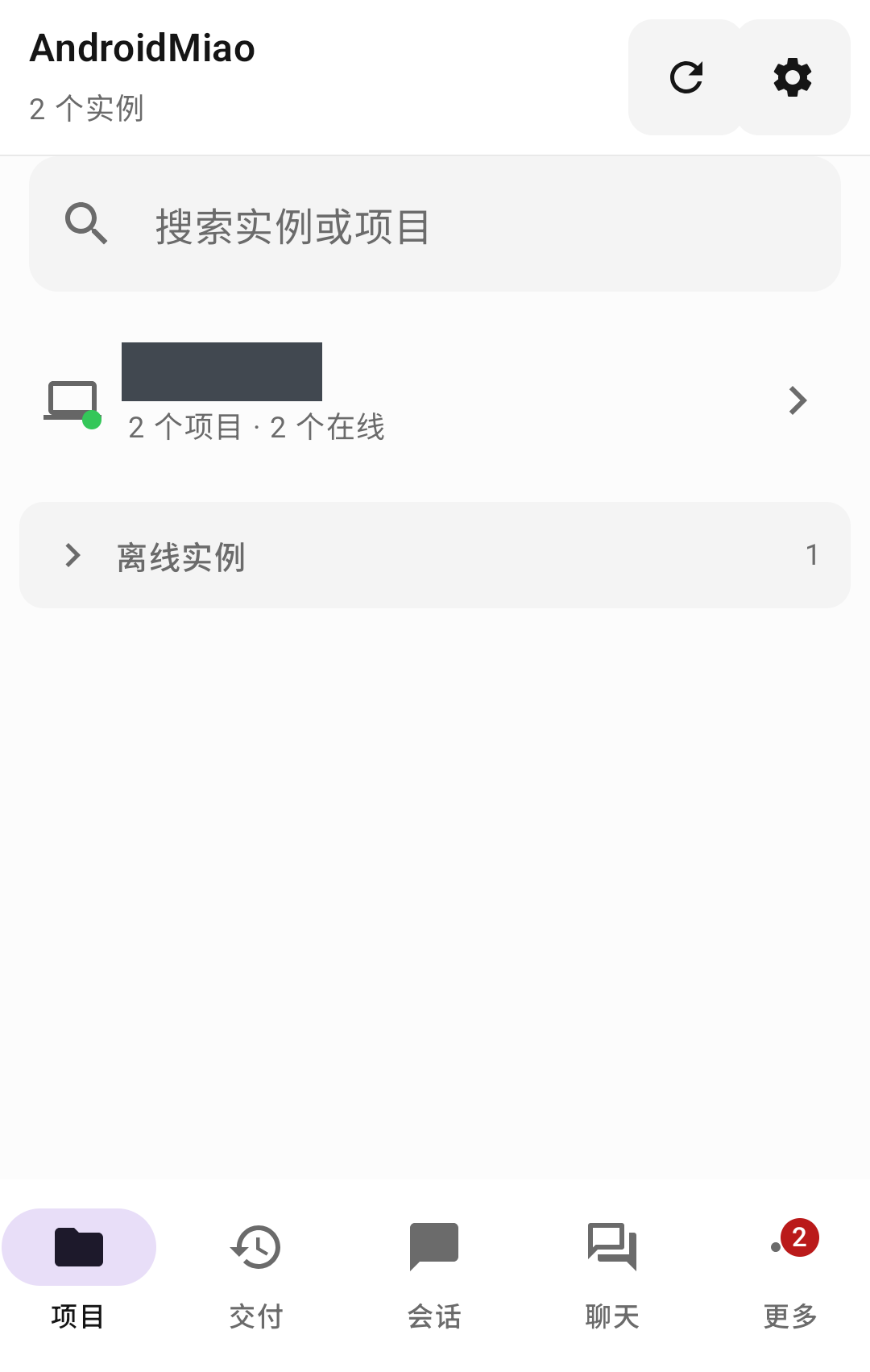
Real interface screenshot: AndroidMiao in an Android emulator, using the app's built-in demo data, with the instance name masked. The image shows the interface and is not a record of a real task execution.
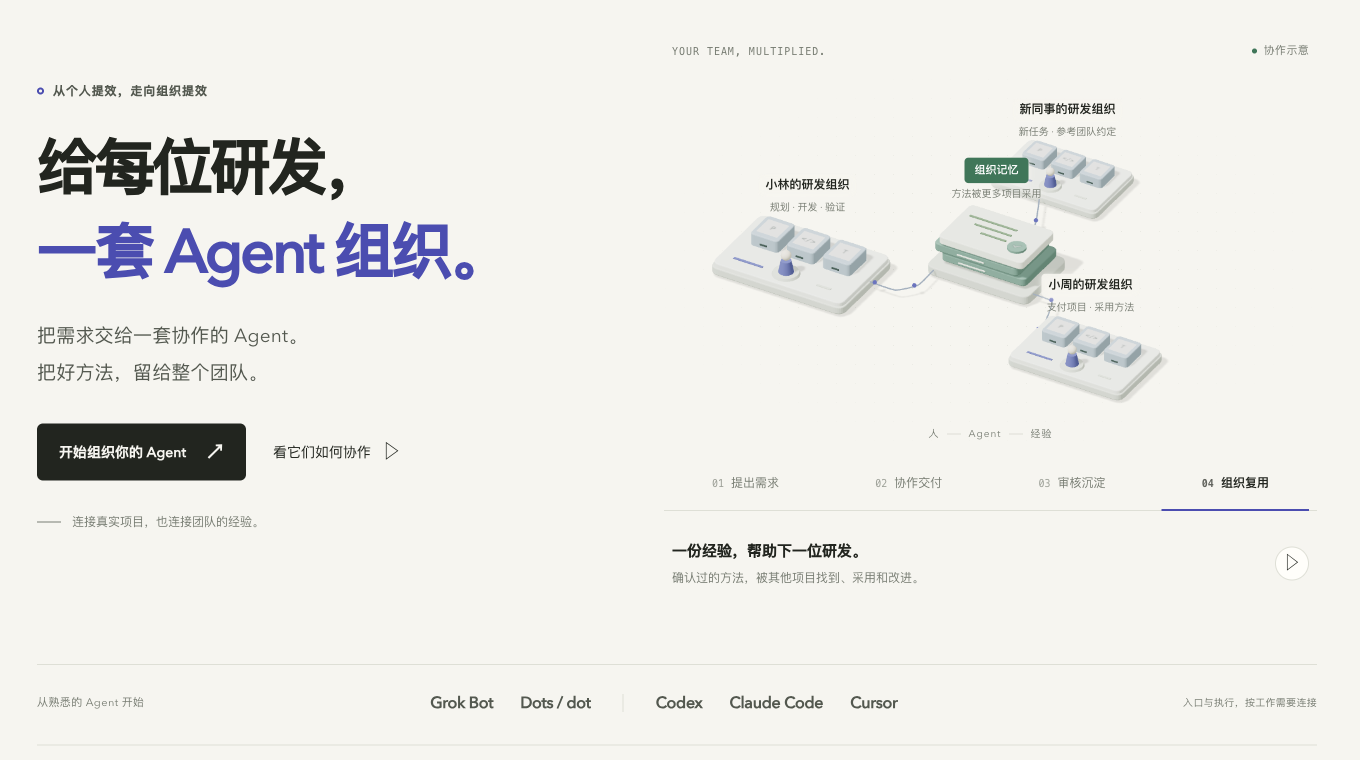
Real website screenshot: the public introduction area of the auto-coder.chat website. The top navigation and signed-in status area have been cropped out.
Auto-Coder connects making a request, executing it on a computer, and viewing the result into one complete working path. For me, its practical value is that a request from a phone or another Agent can reach the working environment on my computer, and the progress and results of that work can return to the end that started the request.