
I have said before: the model determines your intelligence, and memory determines who you are. In everyday use, I would add one more thought: the Agent determines what you can do.
Different Agents have different strengths. Some are good at research, some at coding, some make it easy to talk on a phone, and some can operate a local computer. We choose tools to suit the task, and keep trying new Agents as products evolve. Throughout those changes, I want one thing to carry forward: they should know who I am, what I have already agreed on, and how we have worked together.
That is the starting point for Sparse Agent Memory. We save the preferences, project conventions, and experience accumulated through our work, so that any Agent you use can connect with your authorization and continue to understand your requirements.
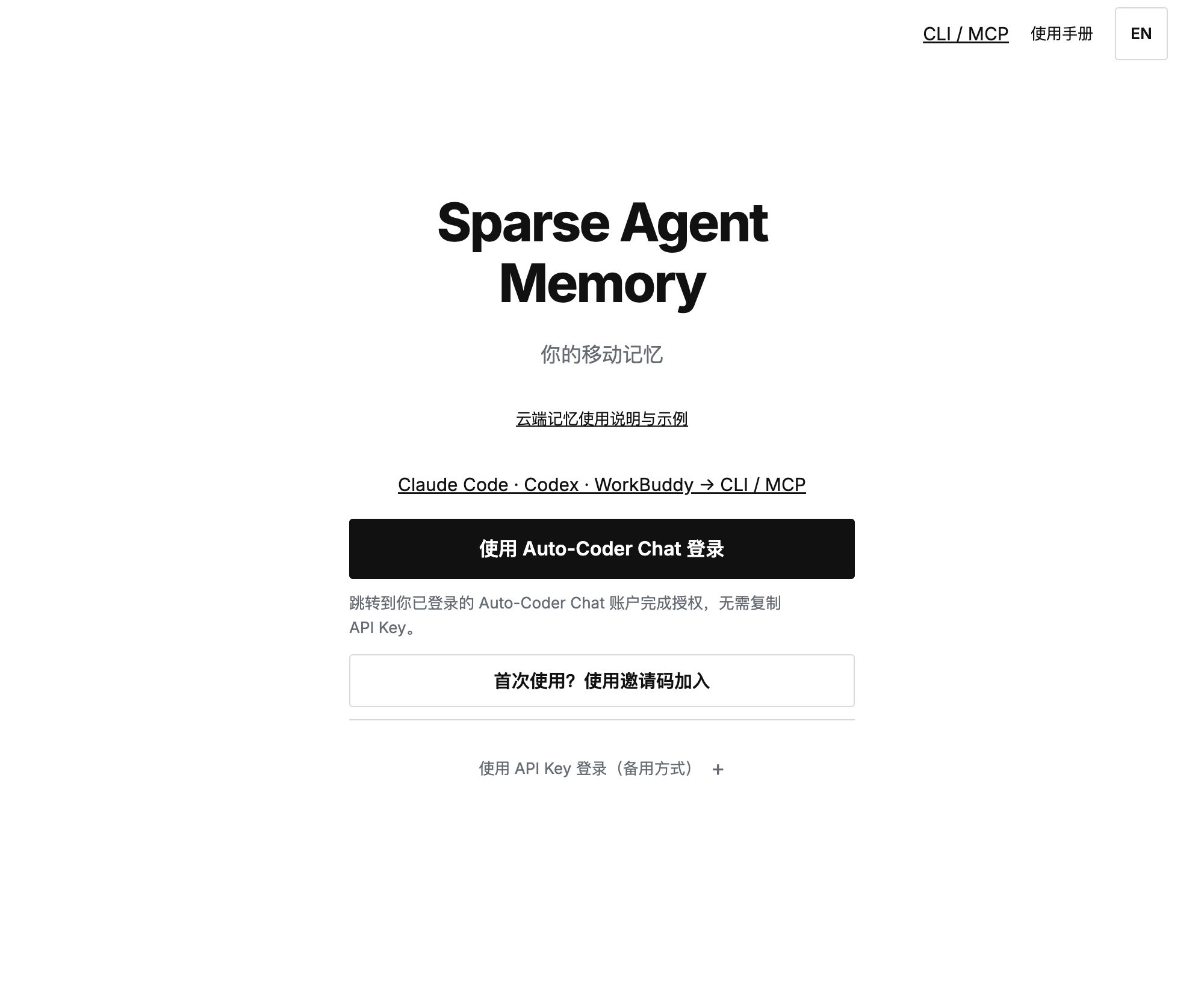
The Sparse Agent Memory home page: your portable memory. Sign in with Auto-Coder Chat to manage your cloud memory.
The information accumulated through a long collaboration with an Agent is quite specific. Articles should read like normal prose, with less of the tone of a short video script. A project has established conventions that should be checked before work begins. A problem solved before may offer a useful starting point next time. When a requirement changes, subsequent work should follow the new agreement.
These are working habits and judgments you have spent time developing. Explaining them again whenever you switch Agents becomes increasingly costly. If you explain a little less, the new Agent may fall back on defaults that do not suit you. You set out to try a new capability and end up spending much of your time establishing a working relationship again.
This is why I believe that, for ongoing use across devices and products, memory must become a cloud service offered as SaaS. SaaS has a simple meaning here: memory is an independent service that authorized Agents can connect to, query, and extend. An Agent can use it whether it runs in a provider's cloud or on my own computer.
I might use Grok Bot today, switch to WorkBuddy tomorrow, and then ask a local Agent to continue the work. The preferences and project experience I have already accumulated should remain useful. That lets me spend more time using each new tool for what it does well. Earlier experience has a lasting place to live, and new tools have a way to draw on it.
While preparing this article, we signed in to Sparse Agent Memory and used natural language to query an existing project about writing requirements and memory access. The returned records included earlier agreements about article collaboration, along with Grok Bot's convention for using this memory: query first, read the relevant sources, and save only confirmed information.
Something agreed on with another Agent could still be found through the website. A subsequent Agent authorized to access the same project has a basis for using those records too. You can open the project yourself, ask an everyday question, and check which earlier agreements apply to the work in front of you.
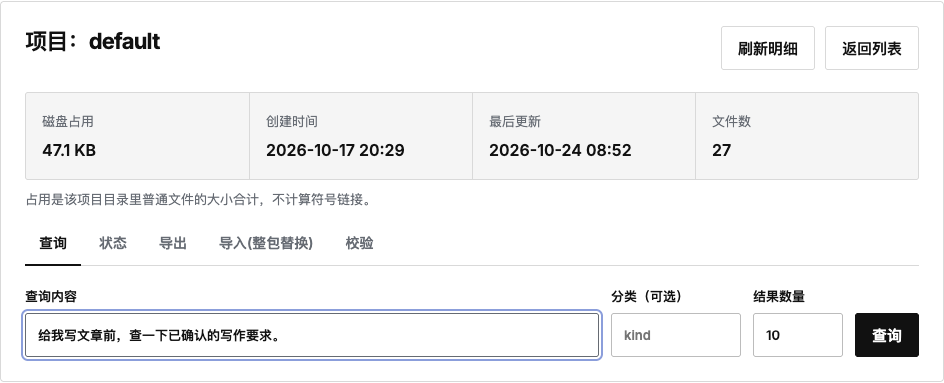
The project query interface. The input field shows an example question about writing requirements. The same page also provides status, export, import, and validation tools.
There are clear ways to make this memory available to other Agents. An Agent that can run commands can use the CLI. A client that supports tool connections can use MCP to query, read, and save memory. A Skill explains when to query, how to use the results, and which lessons are worth keeping. The public guide currently covers Claude Code, Codex, and WorkBuddy. WorkBuddy can connect to the memory tools and import the corresponding Skill package. See the client access guide.
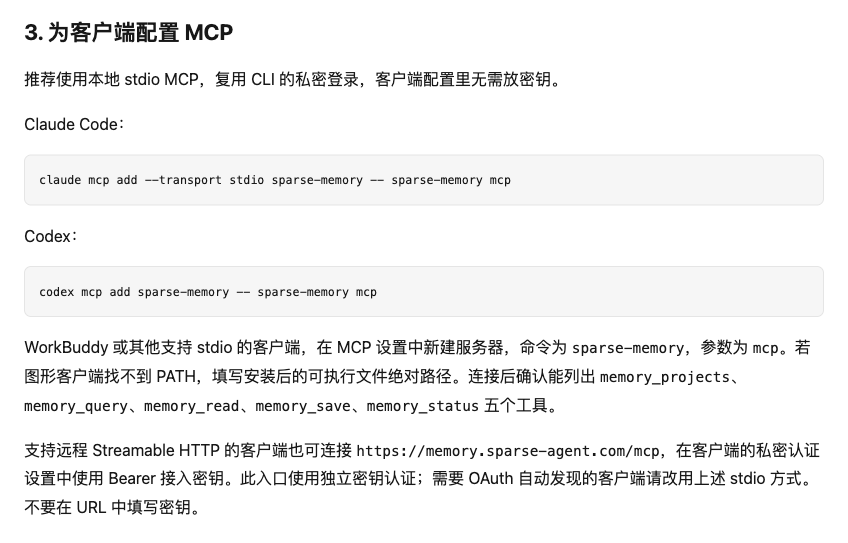
The official access guide explains how Claude Code, Codex, and WorkBuddy can use memory tools to access an authorized project.
For the Grok Bot I use, the existing memory already records a convention for accessing the service through the CLI. Whether another cloud Bot can connect depends on its support for the relevant commands or tool interfaces. When those conditions are met, connecting existing memory lets the Agent look up earlier preferences, decisions, and experience during its current task.
Consider a possible writing workflow. Suppose I agree with Grok Bot that a product article should explain its purpose and how to use it, without sounding like a short video script. Later, when WorkBuddy helps me prepare a product article, I can ask it to look up that requirement before writing from the current materials. If we agree on another useful way to describe the product, we can save it for later tasks.
The user's accumulated experience has continuity in this example. The Agent may change, and so may the device where the work takes place, while requirements that took time to establish remain useful. As the work continues, new experience joins the same body of memory. Each collaboration has a chance to help the next one.
For that continuity to happen, the Agent needs to use memory during its tasks. After connecting, it should query information relevant to the current work, read the earlier records carefully, and apply them in light of the present situation. At the end, it can save newly confirmed requirements, effective approaches, and mistakes to avoid. Ordinary conversations and a tool's private history are not uploaded automatically. There needs to be a deliberate choice about what is worth keeping.
Memory also needs ongoing maintenance. When a project plan changes, the new decision should say when it takes effect. If an earlier lesson is useful only under certain conditions, those conditions should be preserved. Otherwise, more records can make it easier to confuse requirements from different periods. A cloud service also gives users a place to query, check, and back up this information. See the memory guide.
The scope of sharing should remain the user's choice. Personal writing preferences can be available to several writing Agents, while materials for a particular client project are available only to Agents authorized to work on it. Sparse Agent Memory manages memory by account and project. When authorizing a tool, you can choose its project, read or write permissions, and expiration period. When you stop using a tool, you can revoke its key.
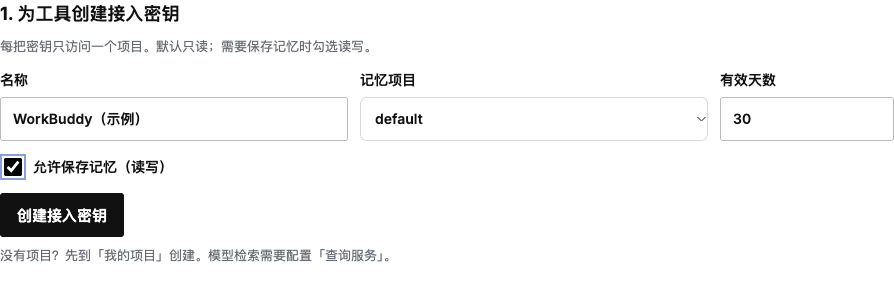
Access settings let you choose a project, permissions, and expiration period for a tool. The WorkBuddy form is an example; no key was created.
This gives “let every Agent be an extension of you” a practical scope: each Agent carries forward the experience you allow it to use in its own work. You can export a backup, inspect what has been saved, and decide which part to make available to a new tool. The accumulation and use of memory should stay in the user's hands.
This continuity is what I mean by a digital counterpart available wherever you are. You can discuss an idea with a cloud Bot while away, develop it with another Agent when you return to your computer, and query the relevant background when moving the work to a local environment. Different Agents keep their own capabilities and judgments while referring to the same authorized preferences, conventions, and experience.
Models will continue to improve, and new Agents will keep appearing. Whenever users change tools, I want the experience they have accumulated to travel with them, so that each newly connected Agent can begin by understanding the person it is working for.