Sparse Agent is an invitation-only cloud Agent service. After you sign in at sparse-agent.com, the Settings page exposes four user-facing options: Model, Cloud key, Cloud environment, and Cloud memory. Each answers one question: which model the Agent thinks with, which cloud account it works in, how that cloud machine gets created, and how it remembers your preferences.
All four are configured with your own accounts: the model key comes from the model provider you choose, the cloud machine is created inside your own DigitalOcean account, and usage is billed to you directly by each provider. The platform never resells or marks up any of it. Here is what each option does and how to set it up.
1. Model: what the Agent thinks with
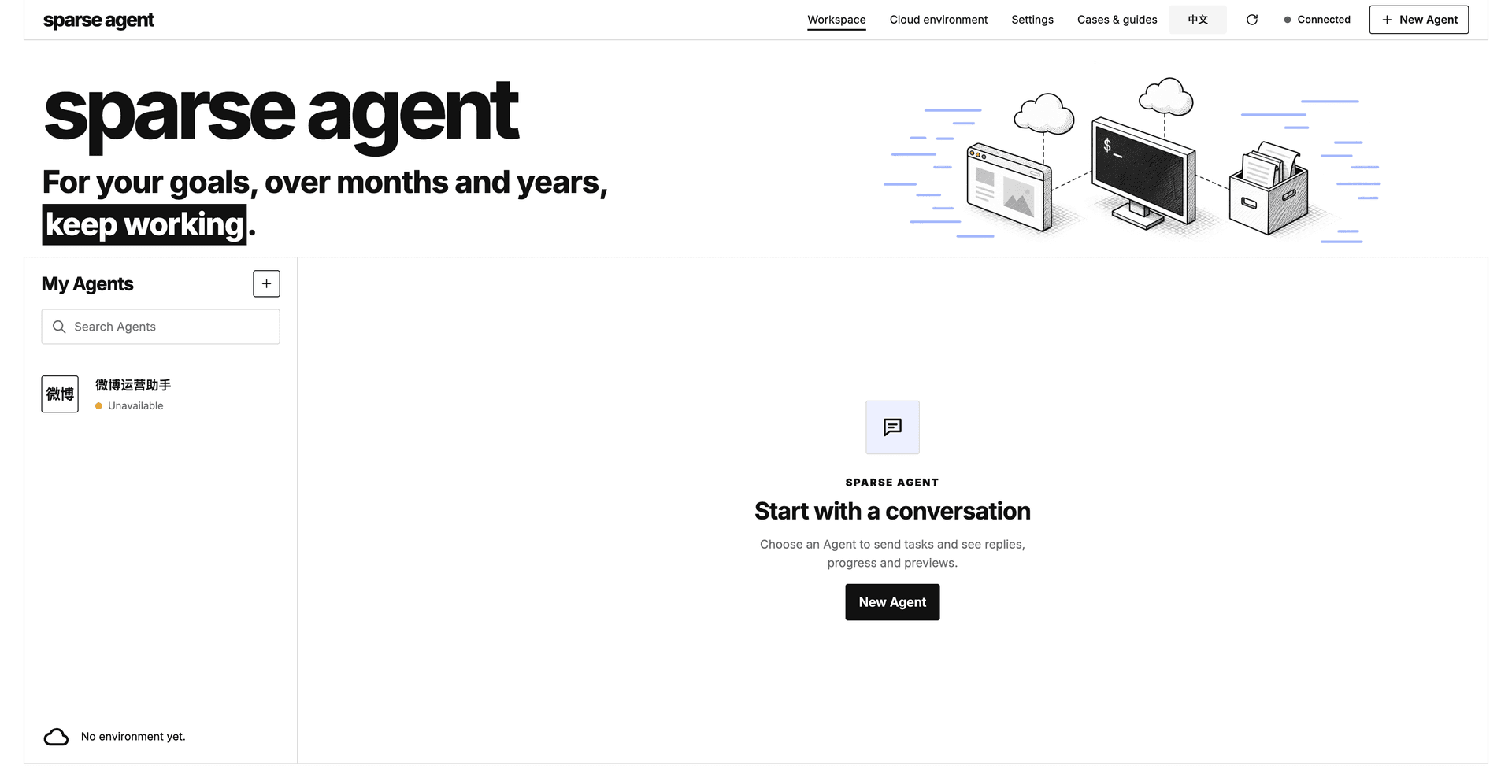
The Model page currently offers two providers: DeepSeek (official) and OpenRouter. Pick one, paste the API key from that platform, and save.
- DeepSeek (official) maps to the
deepseek-flashmodel; - OpenRouter maps to
deepseek/deepseek-v4.1-flash.
The key is only used to connect the chosen service. It is stored encrypted on the server side, never in the browser. Leaving the field blank keeps the saved key; entering a new value replaces it. Token usage is billed under your own account at that provider — with a DeepSeek key, for example, DeepSeek charges you at its own rates.
Without a model key the Agent cannot run at all, so configure this one first.
2. Cloud key: handing your own cloud account the permission to launch a VM
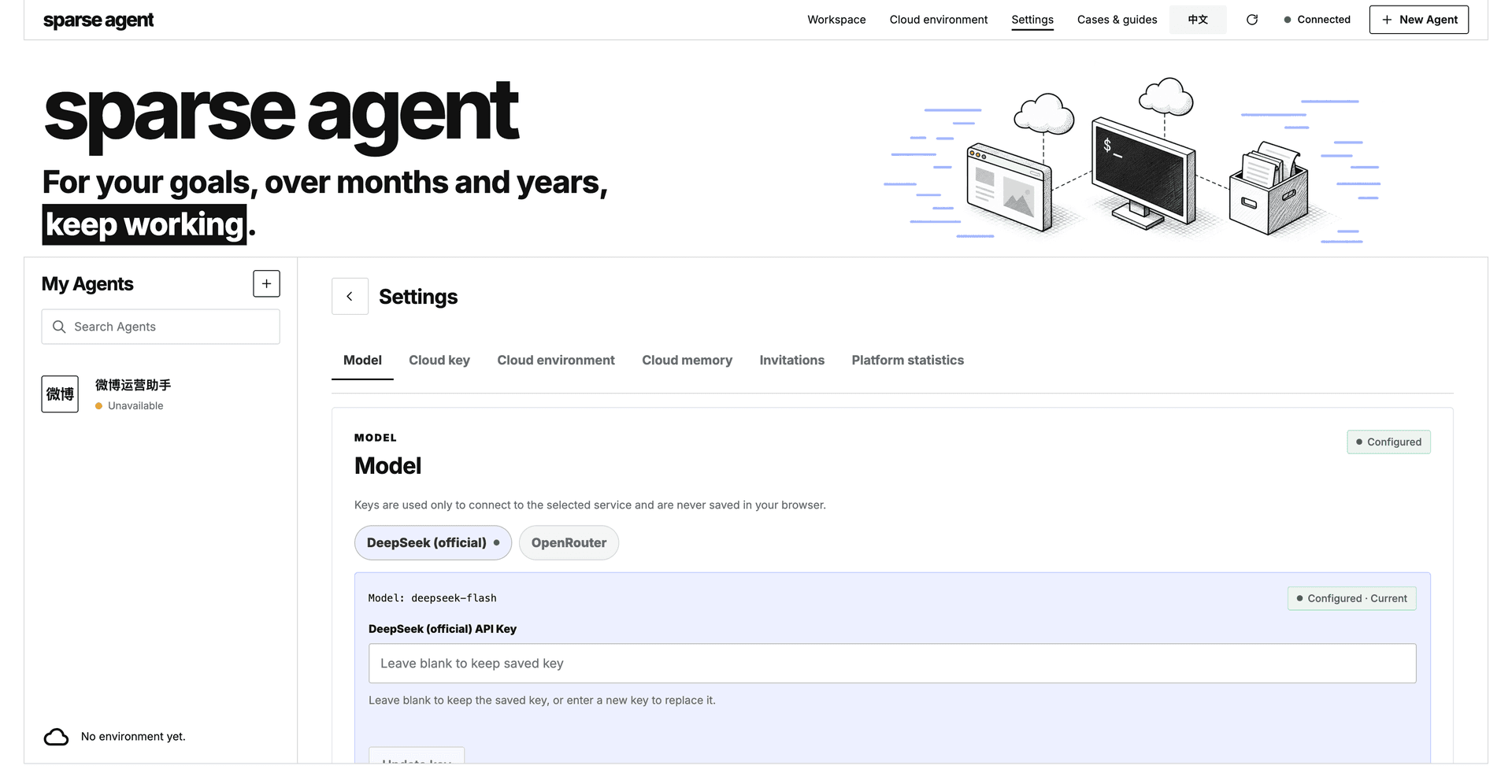
The Cloud key page takes a DigitalOcean API token (a Personal Access Token). A Sparse Agent cloud environment is a real virtual machine created inside your own cloud account. The gateway calls the DigitalOcean API with this token to create it for you, and to clean it up when it expires or you delete it. It only touches what it created — teardown removes exactly the droplet ID and SSH key ID it registered, and nothing else in your account.
Getting the token takes three steps:
- Register a DigitalOcean account at digitalocean.com and verify your email.
- Set up billing. Attach a credit card or PayPal as the payment method (PayPal prepay is available in some regions). This step is required: when you save the token, the gateway actually reads your DigitalOcean account balance to validate it — a token for an account without billing will not be accepted.
- Create the token. In the DigitalOcean control panel go to API → Tokens, click Generate New Token, give it a name, keep the default Read + Write scope (creating a droplet needs write), and copy it immediately — the full value is shown only once.
Back on the Sparse Agent Cloud key page, paste the token and save. Once the status shows "Configured" you are done. To rotate later, paste a new token in the same field — but while a cloud environment is still alive, the gateway refuses to rebind to a different credential, so a machine is never left orphaned under the old one.
3. Cloud environment: a cloud computer running Omarchy
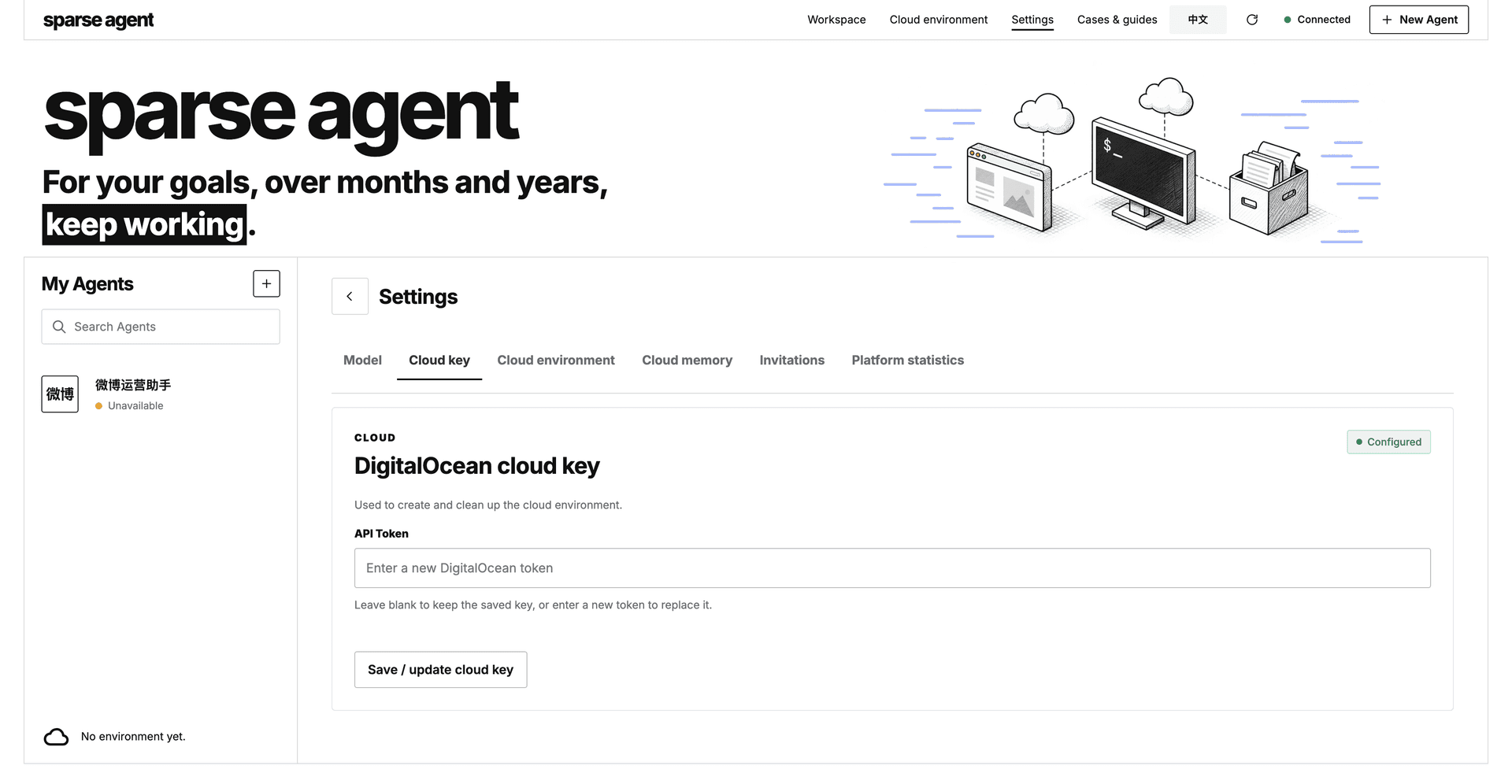
This is the heaviest of the four — it is where Sparse Agent actually works. Click Create cloud environment and the system runs an automated preparation of about 10–20 minutes, with a visible nine-step progress: it provisions a VM in your DigitalOcean account, then installs the whole runtime on it.
The VM spec is currently fixed: 2 vCPU / 4 GB RAM / 80 GB disk in the Singapore (sgp1) region, roughly $24 a month. At creation time you can pick an auto-delete lifetime from 1 to 168 hours (7 days), or leave it unlimited. Two things worth knowing: DigitalOcean bills hourly and a powered-off droplet still bills — only deleting the machine stops the meter; and if you set a lifetime, the gateway deletes it for you at expiry. Each account can run at most one cloud environment at a time, and several Agents can share that single machine without reinstalling.
Once the environment is ready, the page also gains an embedded SSH terminal for looking inside the machine, and a Delete environment action that tears down exactly that droplet.
Why DigitalOcean
Because this cloud computer runs Omarchy — a Linux distribution built by David Heinemeier Hansson (DHH, the creator of Ruby on Rails) on Arch Linux plus the Hyprland desktop. Omarchy positions itself as an agentic OS: an out-of-the-box, AI-native work environment rather than a generic server system. It is designed to be a desk for an agent, not a backend for a website.
DigitalOcean is Omarchy's officially chosen compute partner: a founding corporate patron of the Omacom Foundation and Omarchy's "agentic compute provider", and it publishes the official Omarchy 1-Click image (digitaloceanai-omarchy) in its Marketplace. The cloud environment Sparse Agent provisions is that official image — the same system the Omarchy maintainers run, not a third-party approximation.
There is also a practical engineering reason: DigitalOcean's API is mature and complete, with clean atomic calls for create, tag, and delete-by-ID, which is what makes "every user brings their own cloud computer" reliable to automate. Your token creates your machine, and the bill settles on your own account.
The machine comes preinstalled with the Sparse Agent runtime: Auto-Coder Dream (the agent service itself), agent-browser (a real Chromium the Agent drives), and the Python, Node, and Rust toolchain they need — all installed natively, no Docker in between.
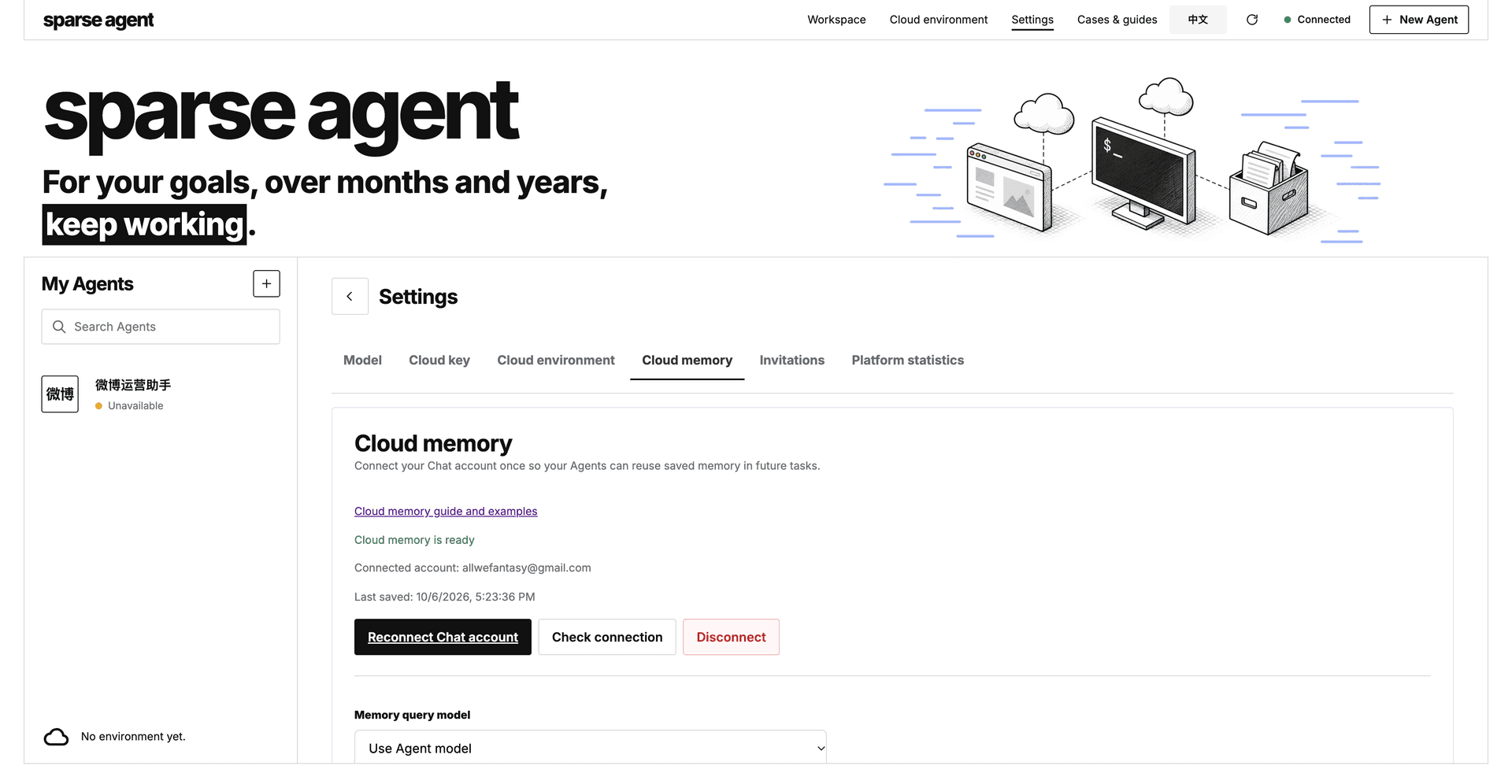
4. Cloud memory: letting the Agent remember you
Cloud memory is optional but recommended. Connect your Chat account once, and every Agent gets its own isolated memory space that carries preferences, project conventions, and confirmed decisions across tasks. Start a new task or a new environment later and it still remembers agreements like "reports in Chinese" or "send the daily digest at 21:00".
Authorization is one-time and renews automatically — no API key to copy. The page lets you check the connection or disconnect, plus a memory query model option:
- Automatic: keep whatever the cloud already has;
- Reuse the Agent model: the model key is encrypted and synced to the memory service, then follows future Agent model changes — no second model setup;
- Keep a separate cloud model: the memory service keeps its own choice.
If you already have accumulated memories, a new Agent can take an explicit migration: it copies only the memory entries in the existing index, keeps the local records, and never uploads raw conversations, browser profiles, or attachments; retrying the migration does not create duplicates.
After setup
With all four in place — model and cloud key required, the cloud environment created before your first Agent, cloud memory recommended — go back to the workspace and click New Agent. Give it a name, write the Goal (for whom, doing what, over how long), optionally add KPI and Constraints, and the Agent starts working in your cloud environment, on a horizon of months and years. For how to write a good objective, see the official guide "Sparse Agent: starting from your first goal" at sparse-agent.com.
In one line: the model key gives it a brain, the DigitalOcean token gives it a desk, the cloud environment gives it a computer, and cloud memory gives it a memory. All four are your own accounts and your own resources — Sparse Agent only does the orchestration.