I've been shipping the auto-coder.chat requirement Kanban for a while now.
I use it every day myself.
But after living with it long enough, one thing became obvious — it's great for reading, and not great for writing.
"Reading" is what dashboards are for: 6 boards, 22 requirements, swimlane distribution, who's online, who's running — all visible at a glance.
"Writing" is another story:
- Want to file a new requirement? Switch to the right board, click "New Issue," fill out a long form: title, description, acceptance criteria, priority, tags…
- Want to pick the most important card out of a stack of "To Review" items? You have to open them one by one.
- Want to file a quick requirement on your phone? Basically give up — too many fields, the keyboard eats half the screen, acceptance criteria spans multiple lines.
- Want to turn the bug you just hit into a card? You have to stop what you're doing, switch windows, fill the form.
None of this is a Kanban design flaw.
It's that graphical forms, by their nature, are a bad medium for high-speed authoring of structured content.
So we built accchat: let WinClaw be the writing entry.
You say one line in WinClaw's chat box, and it creates the requirement, queries the boards, triages a bug, follows up on status — all of it.
Meanwhile auto-coder.chat's web UI keeps doing what it does best — showing you, at a glance, what your entire AI engineering pipeline looks like right now.
The two complement each other.
Bottom Line
This run completed three things:
- Created an API Key in auto-coder.chat's settings.
- Configured the API Key into
accchatfrom WinClaw's tool market. - Back on WinClaw's homepage, asked it — in one Chinese sentence — to query the boards and create a sample requirement.
End result:
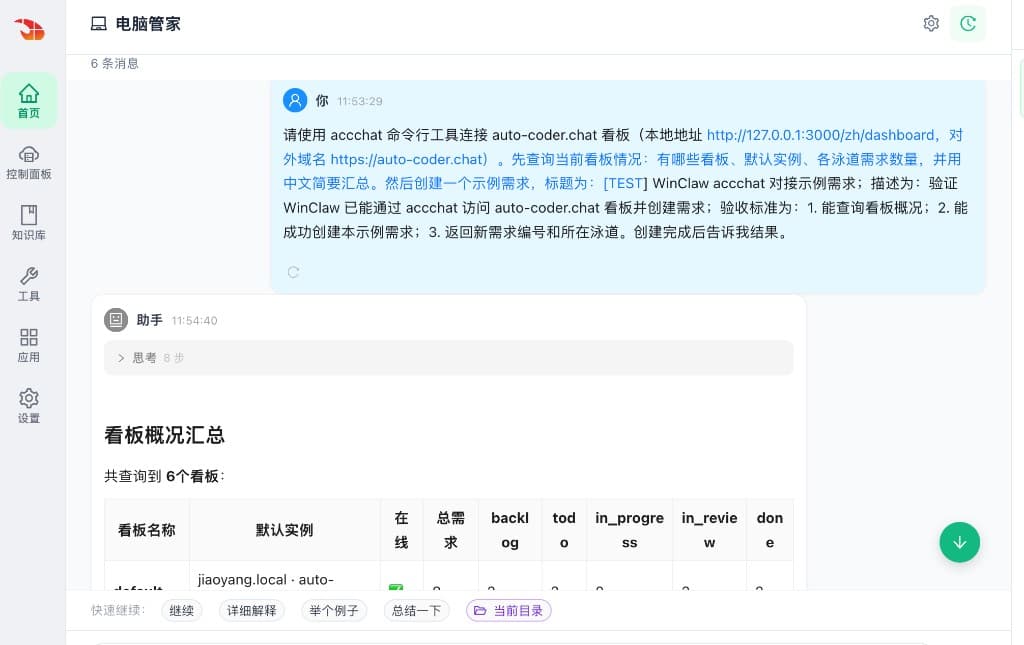
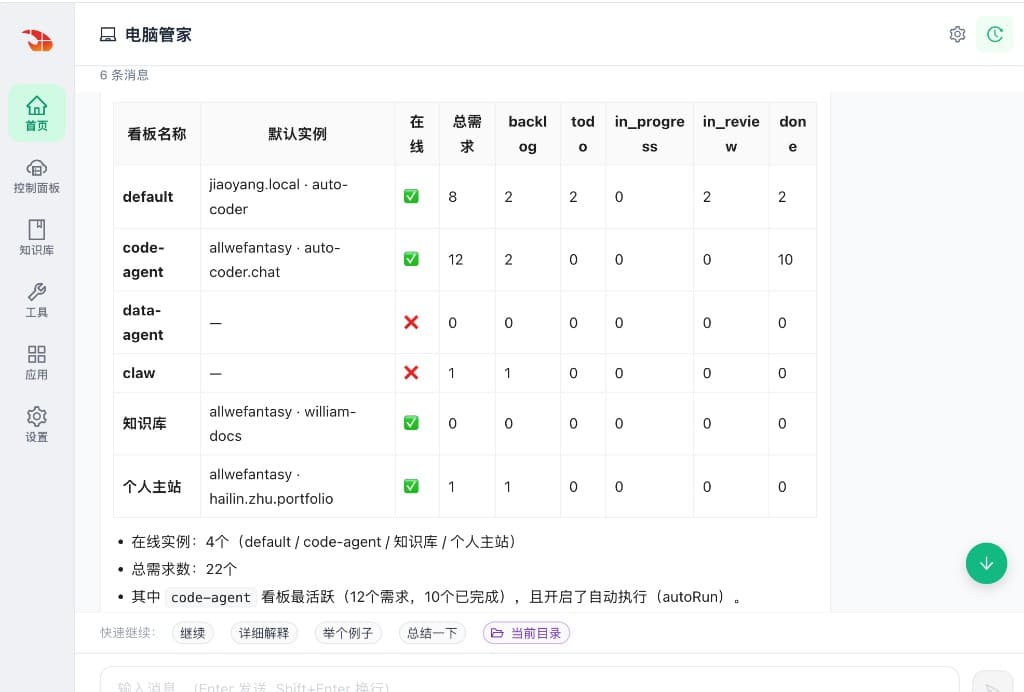
- WinClaw successfully queried 6 boards
- Total requirements: 22
- The
defaultboard hasjiaoyang.local · auto-coderas its default instance, online - Sample requirement created, ID #12
- Lane: backlog
No web form. No SQL. No hand-rolled API request.
1. The auto-coder.chat Kanban Is Made for Reading
The auto-coder.chat Kanban is not a generic to-do list.
Each card on it can become a real, executable Agent task:
- Product files a requirement
- Engineer confirms it
- Agent executes
- Reviewer reviews
- Card lands in Done
It's an AI engineering pipeline with permission boundaries.
For a pipeline like this, the most important view is the dashboard:
- Who's stuck in which column
- Which board is the busiest
- Which instance is online
- Which requirement is finished by the Agent and waiting for review
These are things only a graphical Kanban can convey at a glance.
So — using the auto-coder.chat web UI to "review the whole pipeline" is exactly what it's best at. There's no reason to replace it.
But the other direction — writing — is not its strength.
2. Where the Kanban Hurts Most: Writing, Especially on Mobile
Some real moments:
- On the subway, an idea for a product requirement hits → open auto-coder.chat → switch board → tap "New" → type out three long fields → keyboard covers half the screen → forget it, do it at home.
- In a meeting, somebody asks "is that bug already in the pipeline?" → I want to file one quickly → no PM in front of a laptop → skip.
- At a customer site, the boss says "add this change to
code-agent" → I tough it out on my phone, write a one-line acceptance criterion, and have to come back later to fill it in properly. - I'm in WinClaw setting up tools and models, and remember "this change should be tracked as a card" → don't want to switch windows → put it off → forget.
These moments share one pattern:
You don't lack intent. What you lack is the act of turning intent into a structured card.
Filling forms is slow, fields are many, and you have to switch apps. That's the real authoring tax.
This is exactly the part WinClaw fixes.
3. WinClaw as the Writing Entry
The setup took less than a minute.
1) Create an API Key in auto-coder.chat
Open the dashboard:
https://auto-coder.chat/zh/dashboard
Go to "Settings" and create a fresh API Key for this integration. I named mine winclaw-accchat-demo.
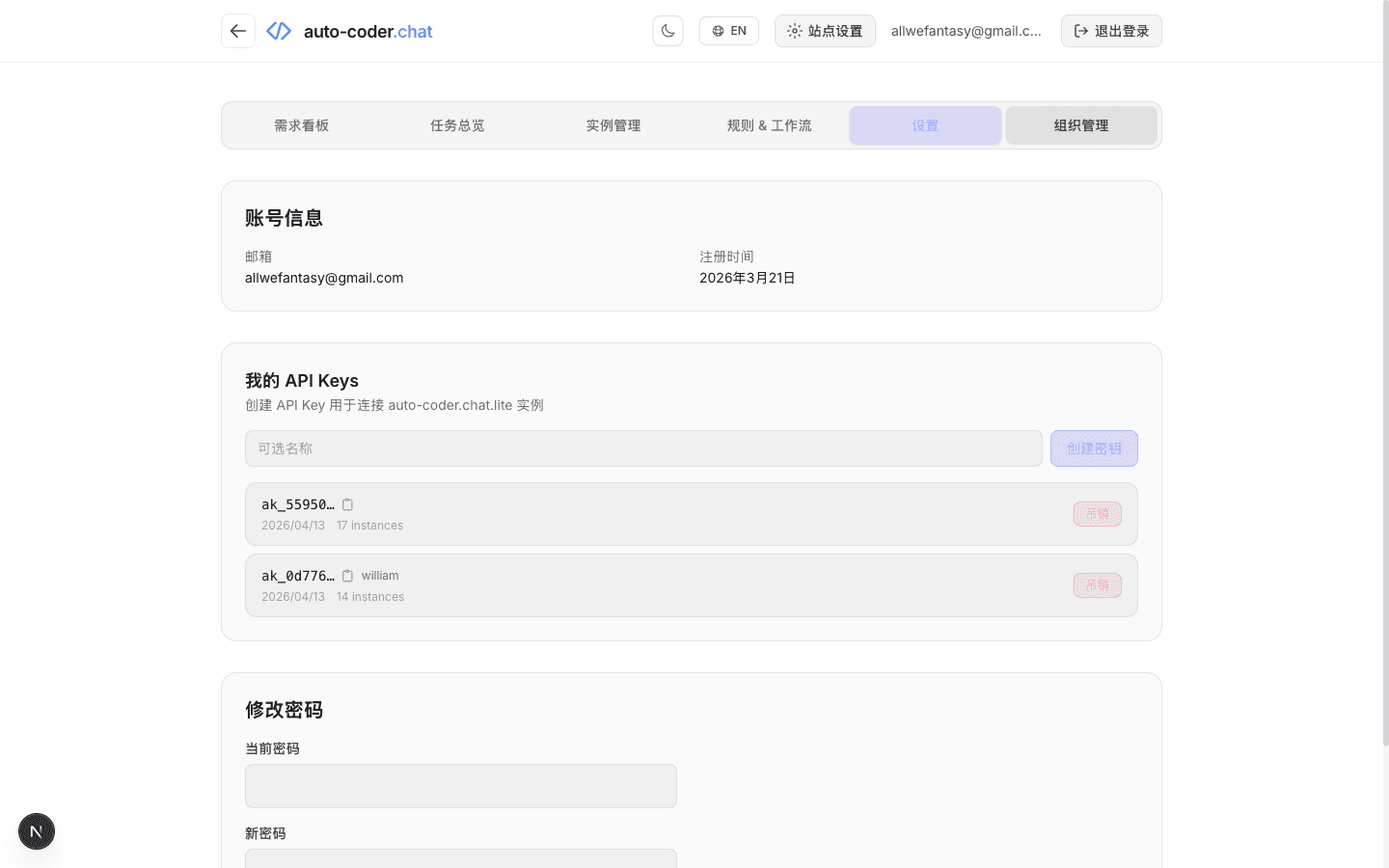
The full key is shown only once — copy it immediately.
It's the credential WinClaw will use to call the Kanban API. Revocable. Auditable.
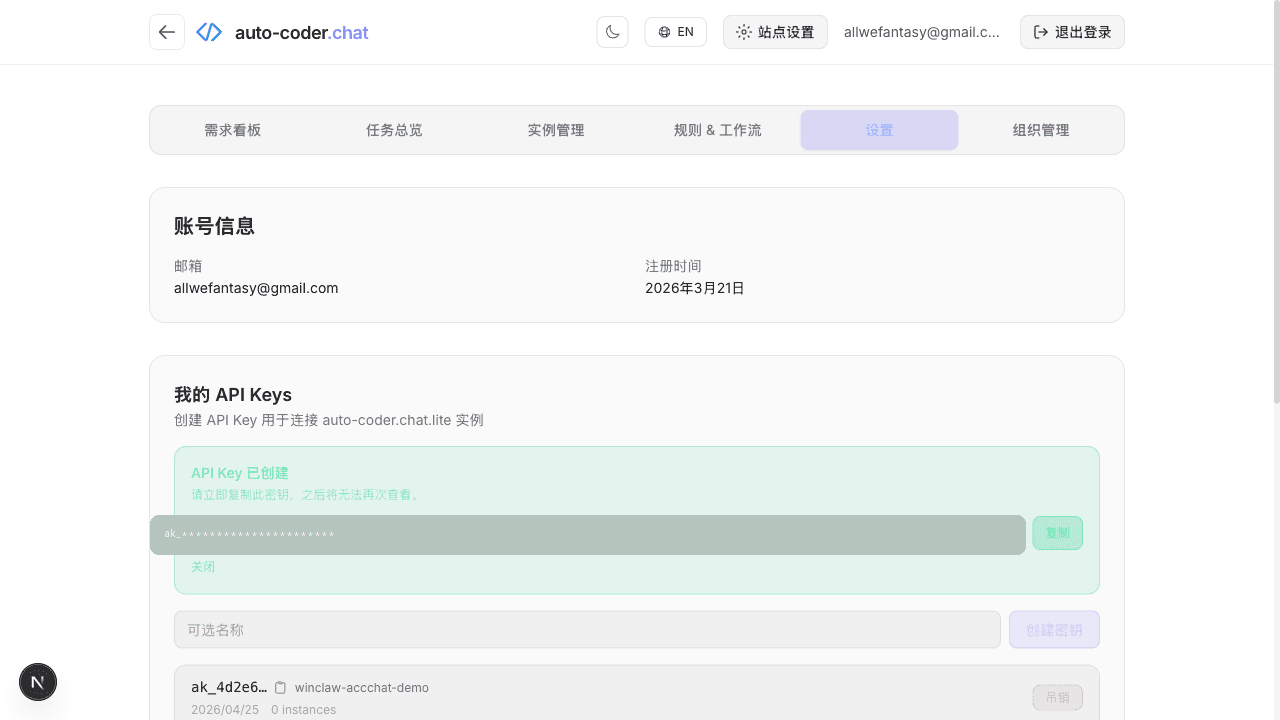
This is much cleaner than "letting some local Agent silently borrow your browser session." Explicit creation. Explicit grant. Explicit revocation.
2) Find accchat in the WinClaw Tool Market
Open WinClaw's "Tools." You'll see accchat:
auto-coder.chat command-line client. Accesses the collaborative Kanban via API Key.
On my machine it's already installed at version v0.1.3.
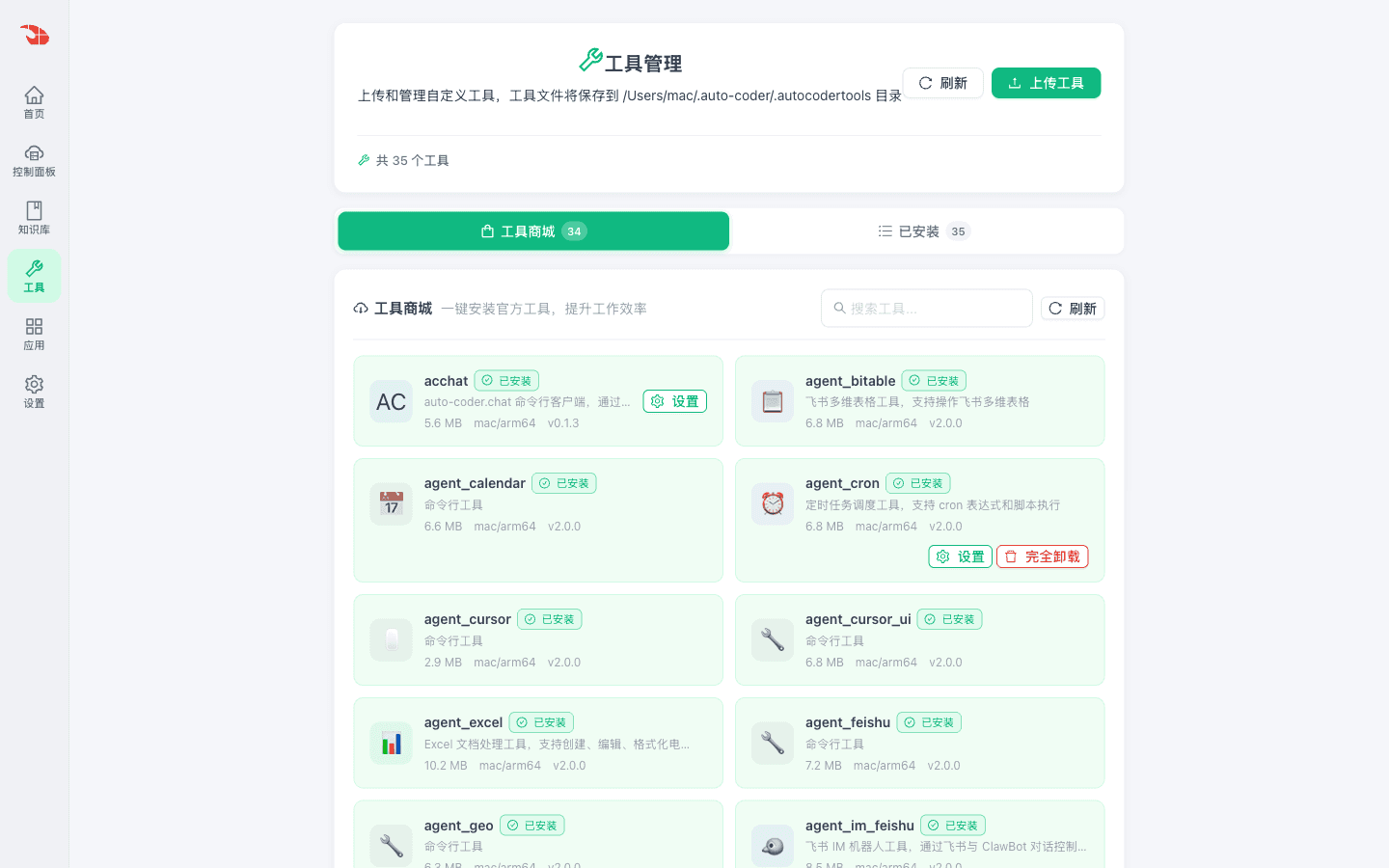
accchat is not an MCP server. It's not a long-running daemon. It's just a Command Tool binary.
WinClaw spawns it on demand and lets it exit when done.
3) Configure the API Key
Click accchat's "Settings," paste the API Key from step 1, save.
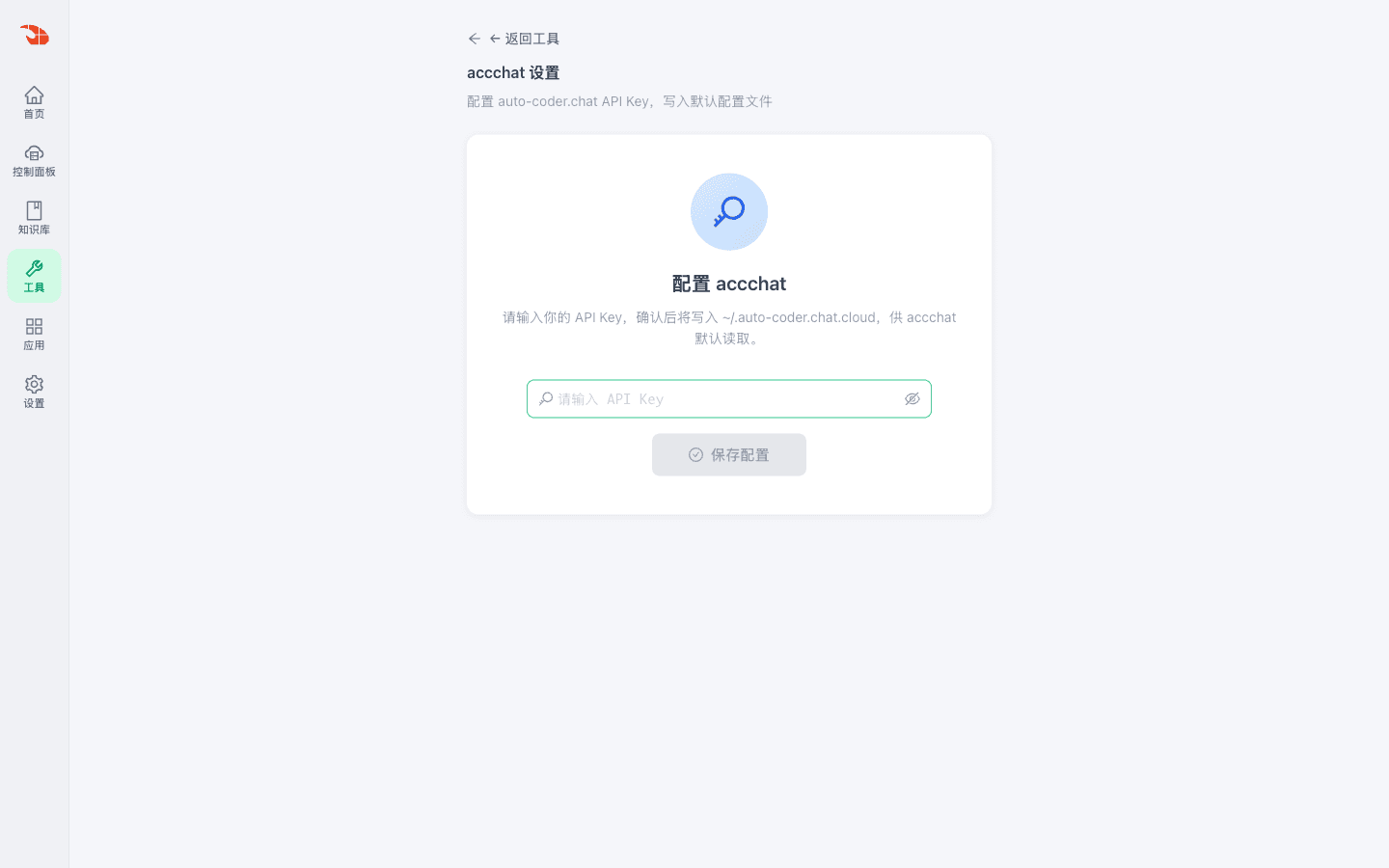
WinClaw writes the config to:
~/.auto-coder.chat.cloud
The page confirms: "Written to default config file. You can use it now."
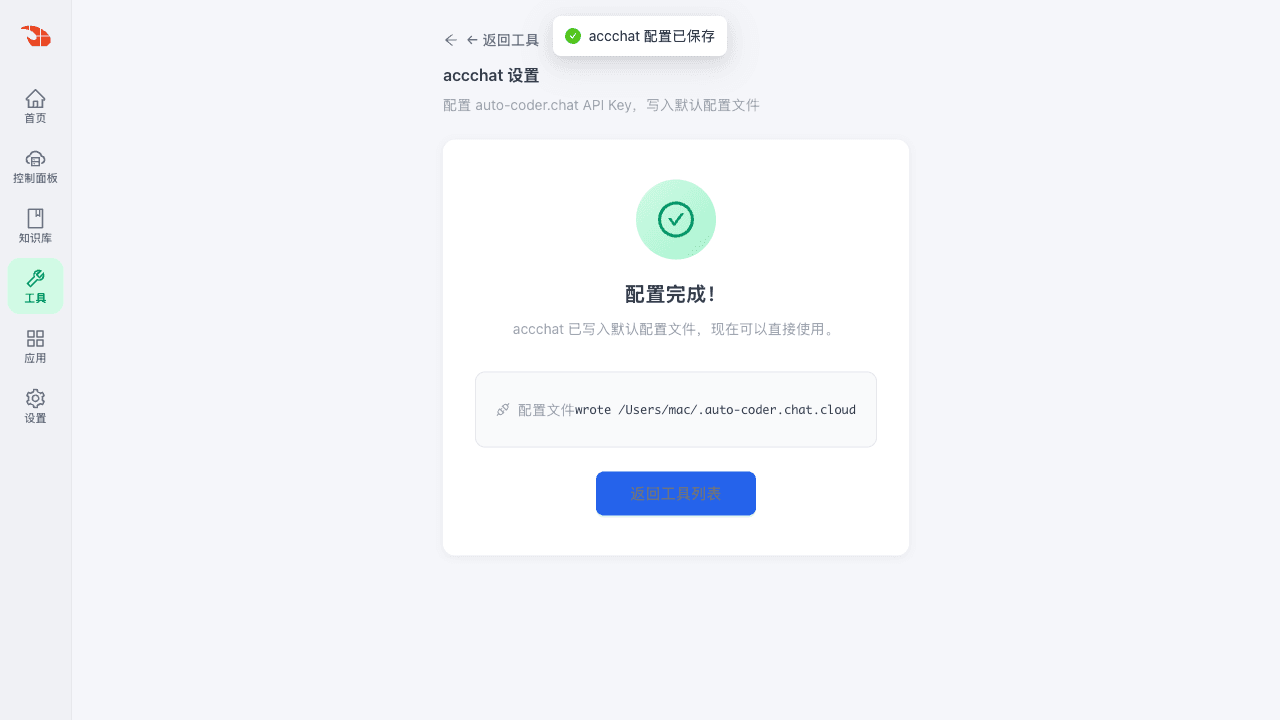
That's it for setup. WinClaw now knows how to talk to auto-coder.chat.
4. One Sentence — Both "Read" and "Write"
Back on WinClaw's homepage, I sent a very plain request:
Use the accchat command-line tool to connect to the auto-coder.chat Kanban. First query the current boards: which boards exist, the default instances, the per-lane requirement counts, and summarize in Chinese. Then create a sample requirement titled
[TEST] WinClaw accchat 对接示例需求…
WinClaw broke the task down on its own — query, then create.
It first confirmed the config:
Config ready (auto-coder.chat API Key configured).
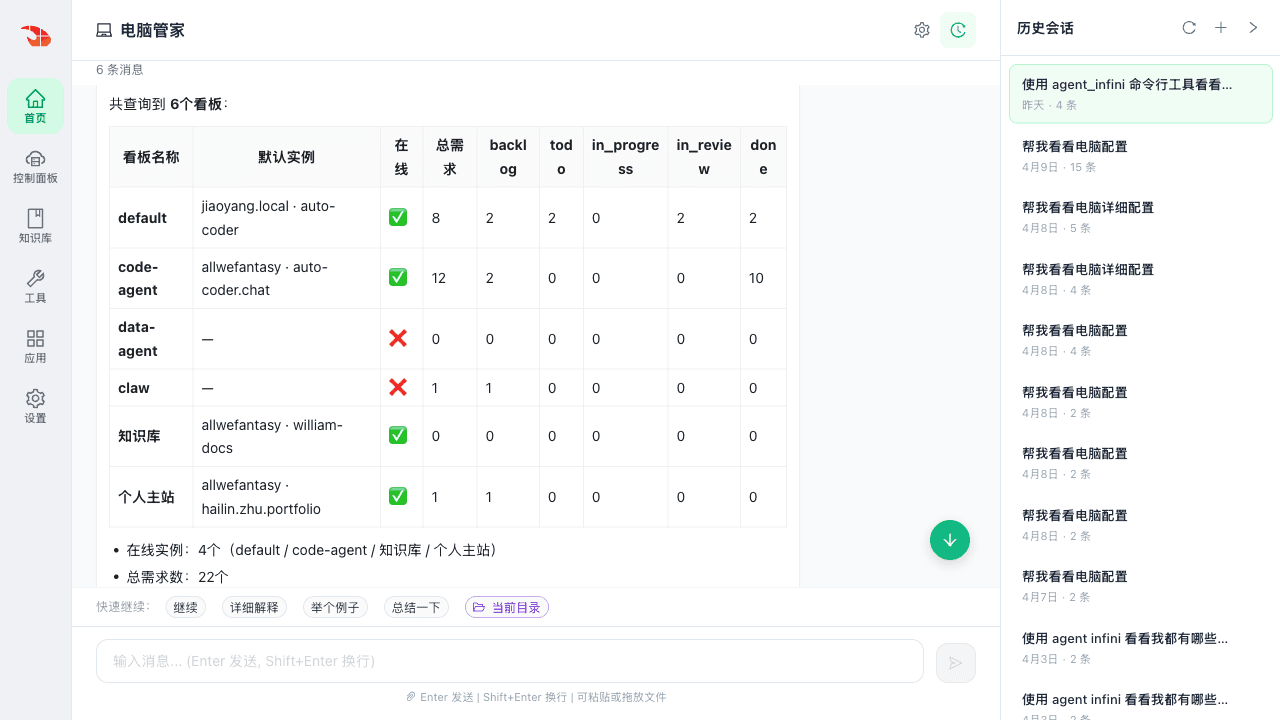
Then it called accchat and returned a clean summary:
| Board | Default Instance | Online | Total |
|---|---|---|---|
| default | jiaoyang.local · auto-coder | yes | 8 |
| code-agent | allwefantasy · auto-coder.chat | yes | 12 |
| data-agent | — | no | 0 |
| claw | — | no | 1 |
| 知识库 | allwefantasy · william-docs | yes | 0 |
| 个人主站 | allwefantasy · hailin.zhu.portfolio | yes | 1 |
With observations attached:
- 4 instances online
- 22 total requirements
code-agentis the most active (12 cards, 10 done)- Picked
defaultfor this test card
Then it created the card on the default board:
- ID:
#12 - Lane:
backlog - Priority:
medium - Created:
2026-04-25 03:54:22 UTC
I didn't specify an API path. I didn't tell it to call list-boards before list-issues. I didn't fill a single form field. I just said what I wanted.
5. Verifying on the auto-coder.chat Web UI — Reading Goes Back to the Web
After writing, I went back to the auto-coder.chat web UI to confirm the card actually landed in the pipeline.
Refresh the Kanban: the default board went from 8 cards to 9.
#12 shows up in the "To Plan / backlog" column. Title and description match.
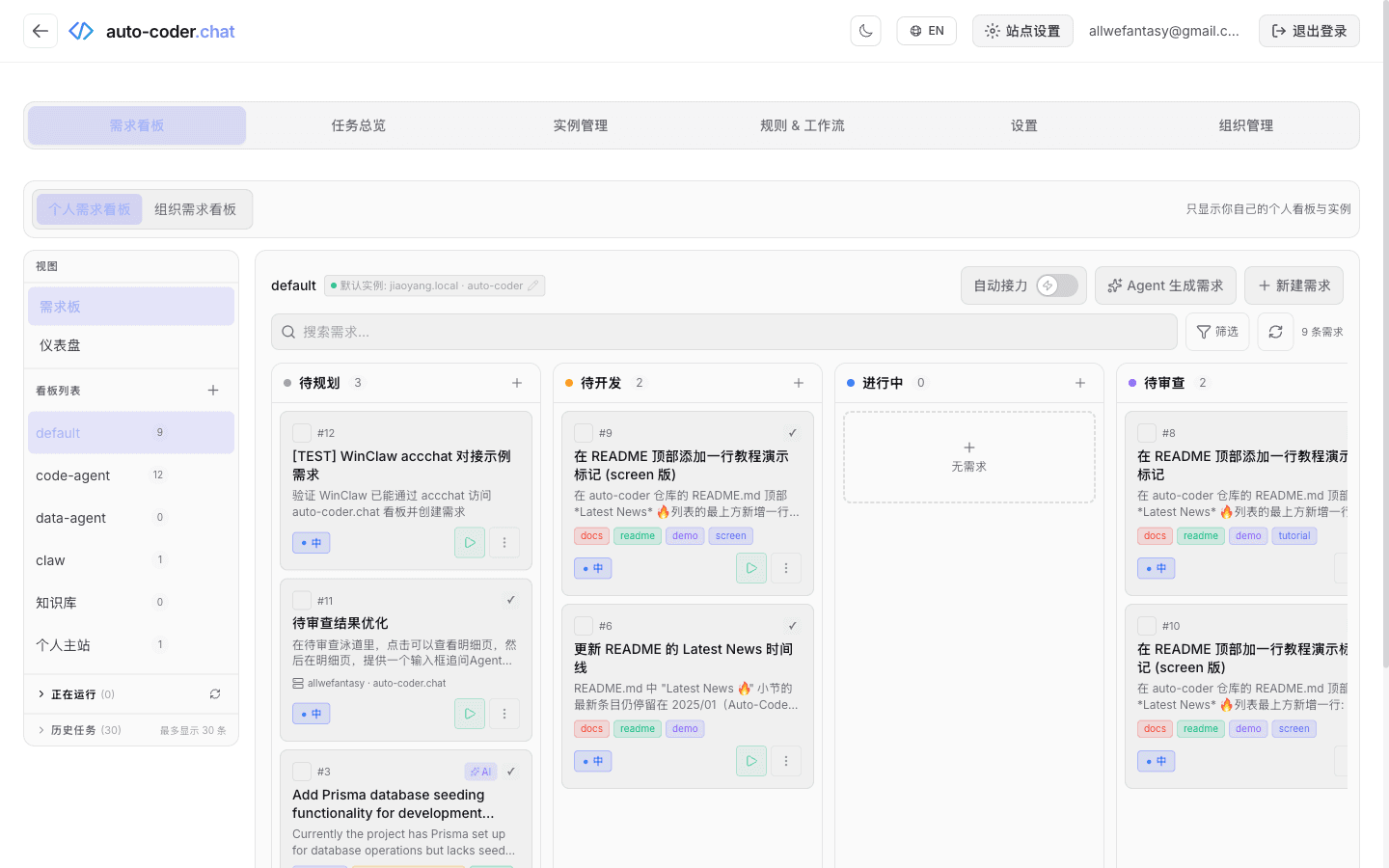
This is exactly what the web UI should be doing:
- See at a glance which column the card is in
- See at a glance whether the new card has all its fields
- See at a glance the global state across all 6 boards
If you now want to add tags, change the priority, or drag it to "To Do" — just point and click on the web.
Writing? One sentence in WinClaw.
Reading? One glance on auto-coder.chat web.
They complement each other.
6. The Boundary Is Clear
Here's a simple table — pick the right tool for the moment:
| Situation | Use this | Why |
|---|---|---|
| See overall pipeline state | auto-coder.chat web | Dashboard / swimlane view is unbeatable |
| Review what an Agent did on a card | auto-coder.chat web | Detail page shows full diff, logs, attachments |
| Drag cards across lanes / change priority / add tags | auto-coder.chat web | Mouse, two clicks, done |
| File a new requirement (description + acceptance criteria) | WinClaw, one line | No app switching, no form |
| Triage a batch of bug cards | WinClaw, one line | Natural language is 10× faster than a form |
| File requirements / chase status from a phone | WinClaw (incl. WeChat entry) | Phone forms are hell |
| "Review the current backlog for me" | WinClaw, one line | AI gives a conversational summary |
| Add a bug card mid-meeting | WinClaw, one line | Doesn't break your flow |
Compressed into one rule:
Reading goes to the auto-coder.chat web. Writing goes to WinClaw, in natural language.
This is not one tool replacing the other.
It's two ways of working on the same thing — each tool doing what it's actually good at.
7. Why WinClaw Is Especially Suited as the "Writing Entry"
WinClaw was originally positioned as the "AI PC Steward" — managing the system, files, tools, and models on your machine.
It has three properties that make it a natural fit for the auto-coder.chat Kanban:
One — it's a chat surface by default.
Filing requirements, editing requirements, chasing status, triaging bugs — all of these are "express your intent in one sentence." That's what a chat box is best at. Faster than forms. More flexible than forms.
Two — it has a native WeChat channel.
WinClaw also has an assistant entry inside WeChat. So "I'm on the subway and want to file a requirement" is now: type one Chinese sentence in WeChat — work happens on the home computer — result returns to your pocket.
That's exactly the mobile authoring pain the auto-coder.chat Kanban can't solve on its own.
Three — it can call Command Tools.
accchat is a single binary. Drop in an API Key, done. WinClaw already runs agent_infini, agent_word, agent_browser and a roster of other expert tools — adding accchat requires no extra environment.
Which makes this integration extremely lightweight: no MCP daemon, no pip env, no Node service.
Download → key → use.
8. Try It Yourself in Three Steps
If you don't have WinClaw yet, grab it from:
- China: winclaw.cn
- International: winclaw.me
Download the macOS / Windows installer, sign in, and you'll see the tool market.
Then walk through the integration in three steps:
- Open the auto-coder.chat dashboard at
https://auto-coder.chat/zh/dashboard, go to "Settings," create an API Key, copy it. - Open WinClaw's "Tools," search for
accchat, click "Settings," paste the API Key, save. - Back on WinClaw's homepage, just talk to it. For example:
- "Use accchat to show me my boards and the requirement count per lane."
- "Use accchat to create a bug card on the
defaultboard titled 'Login button text overflow.' Fill in the acceptance criteria for me." - "Use accchat to review the
code-agentboard's 'To Review' lane and pick the two most important cards." - "From WeChat: use accchat to show me what's still sitting in backlog today."
Once you've written, review on the auto-coder.chat web: drag cards, edit fields, open detail pages, kick off execution.
The Kanban is the same Kanban.
We just added a writing entry where you say one line, and it writes for you.
Let the tool that's best for "reading" keep doing reading. Let the entry that's best for "saying" handle the pain of "writing." That's all this integration is trying to do.